
Introduction
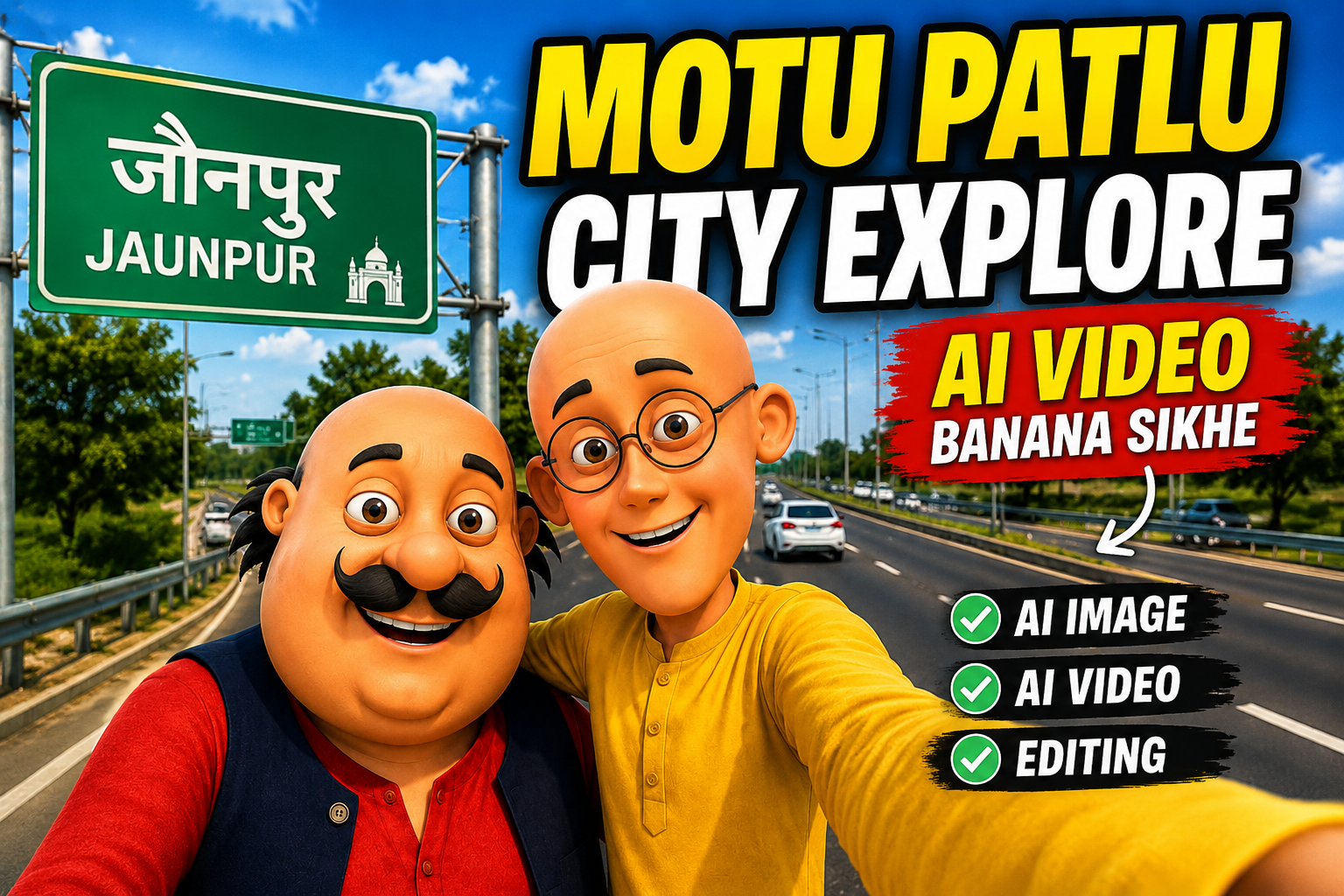
Friends, you all use social media and every day some trend or the other keeps going on on social media. Currently, videos of Motu Patlu exploring the city made with AI are going viral all over social media, in which they explore the city and give reviews of that city. Whoever is getting this video is also making his own video with the help of City AI and uploading it on his social media, which is getting him lakhs of views. Because these videos are so engaging to watch that they attract everyone’s attention. Motu Patlu is already such a viral cartoon and when these city exploration videos are shown people are surprised.
Friends, if you also want to make a similar city exploration video of your own and want to grow on social media by uploading it, then this is the best time to make this video. In this article, I will tell you everything about how you want to make this Motu Patlu wali explore video. So read this article today very carefully so that you do not miss any information.
Why Are Motu Patlu City Explore Videos Trending?
Motu Patlu City Explore video is so viral because these characters are in cartoon style and moreover it is about city exploration which is liked the most by the people living in that city.You all know how much everyone from children to young people likes cartoons in which Motu Patlu goes exploring the city and they enjoy watching them with great pleasure.
Another reason is that creators, big and small, are making such videos to upload them on their social media platforms to get views, due to which it is becoming more and more popular. These videos also perform well because they are short, colorful, and entertaining. The simple storytelling and eye-catching visuals encourage viewers to watch until the end and share the videos with others.
How to Create a Motu Patlu City Explore AI Video
Making a Motu Patlu city explore ai video is very easy, you will be able to make it within just 2-4 minutes. The process of making this video is divided into 2 parts. First of all, you have to generate the image of Motu Patlu and then you have to convert that image into video with the help of AI. I am telling you step by step how to do all this so that you do not get confused.
Steps to Create Photo :

IMAGE PROMPT:- es photo me jo Azamgarh likha hai usko hata ke (Apni City ka name likho ) likh do baki sab same rhega …
- First of all you have to download this photo and copy the prompt given below the photo.
- Click on the create your image button below and upload the downloaded photo by clicking on the plus icon of ChatGPT.
- You have to paste the copied prompt and remove the name of the other city from there and put your city’s name and send it.
- The photo you sent will be ready in a short while, you just have to download it.
Create Your Image
Steps to Make Video :
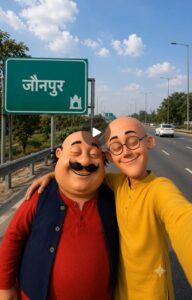
VIDEO PROMPT :- हेलो दोस्तो हम लोग जौनपुर आ गए हैं यहां का नजारा काफी अच्छा है क्या आप कभी इधर आए हैं
- You have to copy the video prompt from below the video given above.
- Then below you have to click on Create Your Video.
- All you have to do is open Google Flow and login with your Google account.
- After that you have to click on new project and upload the generated image from the plus icon given above.
- Click on the video option and select the uploaded image and copy it and send it by pasting it along with the prompt.
- In a short while your Motu Patlu City Explore video will become viral.
FAQ
1. What is a Motu Patlu City Explore AI video?
A Motu Patlu City Explore AI video is a short animated video where Motu and Patlu-style characters appear in different cities. These videos are created using AI image generation and AI video tools, then edited for social media platforms like Instagram Reels and YouTube Shorts.
2. Do I need any editing experience?
No. Most AI tools are beginner-friendly. If you can follow simple steps and use a basic video editor, you can create these videos without any professional experience.
3. Which AI tools can I use to create the image?
You can use Google Gemini and ChatGPT to generate images. These will give you great results, making your video more professional.
4. How can I change the city name?
To write the name of your city, you have to go to the image prompt and put the name of your city in the bracket and the photo will be created with the name of your city.
5. Can I use these videos on YouTube or Instagram?
Yes, you can upload AI-generated videos to social media. However, make sure your content follows the platform’s rules and respects the intellectual property rights of any recognizable characters or brands you depict.
Conclusion
Creating a Motu Patlu-style City Explore AI video is easier than many people think. With the right AI image prompt, a good video tool, and a few simple editing steps, you can create videos that look attractive and fun to watch. You don’t need expensive software or professional editing skills to get started.Try different city names, backgrounds, and camera angles to make every video unique. Keep your editing clean and use smooth animations for the best results. The more you practice, the better your videos will become.
We hope this guide helped you understand the complete process from creating the image to making the final AI video. Now it’s your turn to try these steps and create your own City Explore video. Keep learning, keep creating, and enjoy making amazing AI content.


Nautanva Mein ham log ka Swagat Hai Sabhi log nautanva Mein Mujhse milane a jao
दोस्तों में और पतलू आ जाए आरिफ और सबीर के घर पर इनको फॉलो करना इंसानों के घर में बहुत सारी बारिश है
आज हमारे आरिफ और साबिर के घर पर इनको लाइक करना शेयर करना और आपका भी गांव कहां पर है जरूर बताइए
मोटू: दोस्तों, अब हमें Buggu से मिलने जाना है।
पतलू: तो जल्दी से इस वीडियो को Buggu के पास शेयर कर दो।
मोटू: हो सकता है अगली वीडियो Buggu के साथ ही बने।
पतलू: अगर आप भी हमसे मिलना चाहते हो, तो फॉलो, लाइक और कमेंट ज़रूर करो।
IMAGE PROMPT:- es photo me jo Azamgarh likha hai usko hata ke (Apni City ka name likho ) likh do baki sab same rhega …
Motu Patlu wali video in chirag ka ghar
VIDEO PROMPT :- हेलो दोस्तो हम लोग phawa आ गए हैं यहां का नजारा काफी अच्छा है क्या आप कभी इधर आए हैं
Sandip
वीडियो डायलॉग:
“हेलो दोस्तों! हम लोग जौनपुर आ गए हैं। यहाँ का नज़ारा काफी अच्छा है और जगह भी बहुत खूबसूरत लग रही है। क्या आप कभी जौनपुर आए हैं? अगर आए हैं, तो कमेंट करके जरूर बताइए कि आपको यहाँ की कौन-सी जगह सबसे ज्यादा पसंद आई।”