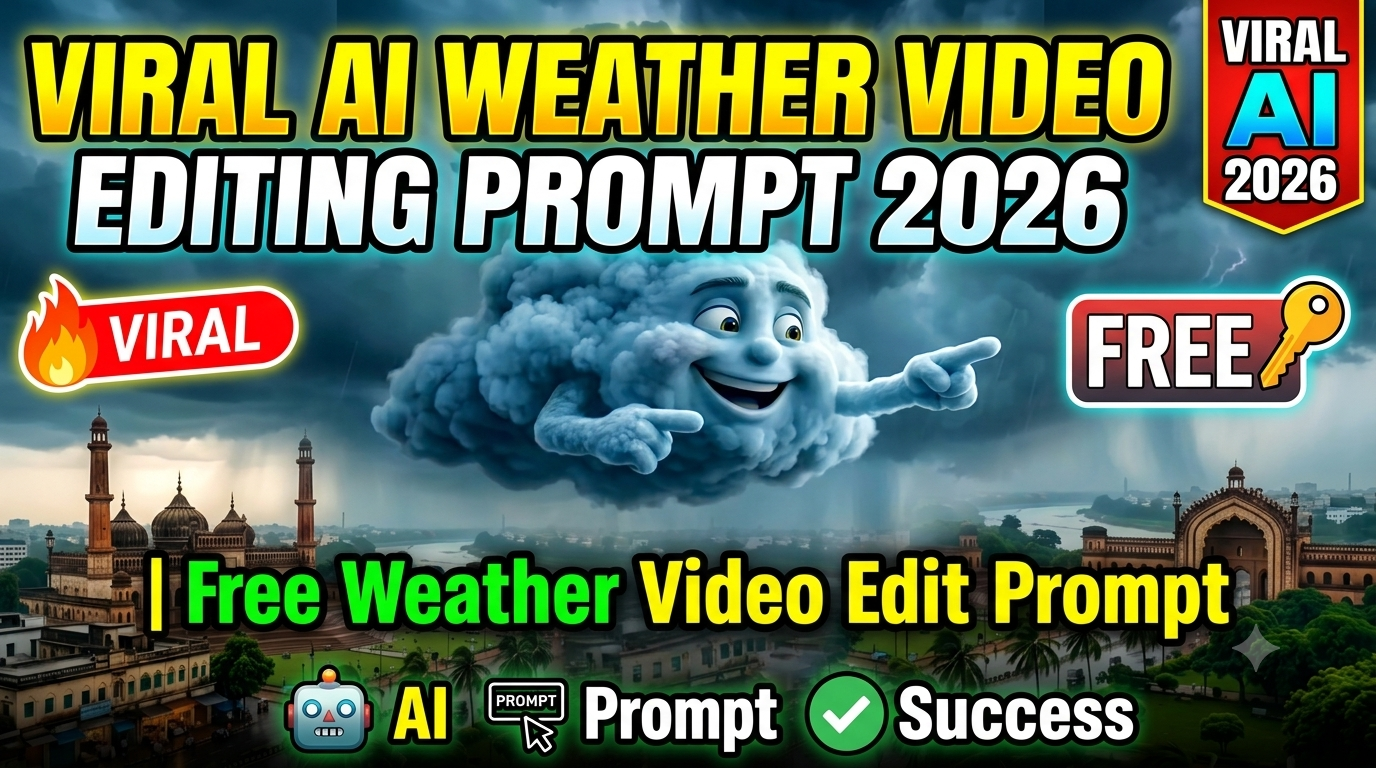
Friends, if you use Instagram, YouTube Shorts or TikTok, then at present, weather videos are becoming very viral here. People are liking this type of videos very much, due to which people are growing rapidly by making such videos. Videos look very cinematic, professional and cool, which attracts everyone’s attention and makes people watch them more and more.
Today, people are getting such videos made in which people are getting videos made about their towns and villages in which it is raining in that village.Friends, if you also want to make a similar weather video in the name of your village or town, then today I will tell you how to make it.Because everyone is making such a video but no one is telling you how to make it, but you are not worried at all.Read this article carefully so that you do not miss any information.
Why Are AI Weather Videos Trending?
The Weather Ai Video is currently trending all over social media because it is in cartoon style and looks absolutely professional, as if it is very well self-edited. Be it children or old people, whoever is watching this video is stopping on it due to which this video is becoming more viral. Every small and big creator is making videos of his village and town like this and all the people of that area who watch the reel, like it and go away.Because everyone wants his village and his town to be famous.
The biggest feature of this video is that it can be made easily in just a few minutes without any editing or hard work. You don’t need any editing to make this because this video is completely made from AI. In today’s modern age, AI is readying your videos and photos in minutes, thereby saving people’s time and money.
How To Create Ai Weather Video
To create an AI weather video, you will have to go through 2 processes. First of all you have to generate weather photo from Google Gemini, after that you have to convert that photo into video with the help of another AI. The process is very easy; you can create and prepare such videos in just a few minutes.Below I am telling you the steps as to how you have to make a photo and how to convert that photo into a video. I am explaining each process step by step.
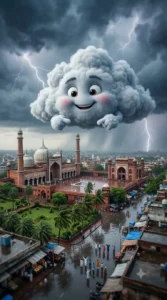
A giant fluffy anthropomorphic storm cloud floating majestically above a breathtaking Indian Mughal city during the monsoon season, adorable smiling cartoon face with large expressive eyes, thick expressive eyebrows, soft rosy cheeks, bright joyful smile, ultra-soft fluffy cloud texture with realistic volumetric details, tiny fluffy cloud hands playfully pointing toward the city below, enormous dark thunderstorm clouds stretching across the sky, dramatic cinematic lightning bolts illuminating the clouds, realistic heavy rainfall visible in the distance, epic monsoon atmosphere, magnificent historic Mughal mosque featuring grand marble domes and towering elegant minarets, iconic monumental Mughal gateway, lush green gardens, gently swaying palm trees under strong monsoon winds, rain-soaked reflective streets with realistic puddles, people standing on the roads happily looking upward and waving at the giant cloud, ultra-realistic Indian cityscape, highly detailed Mughal architecture, seamless blend of a Pixar-style 3D animated cloud character with a photorealistic environment, volumetric lighting, ultra-realistic volumetric clouds, HDR, physically accurate rain simulation, dramatic cinematic sky, atmospheric depth, depth of field, cinematic aerial drone perspective, masterpiece composition, hyper-detailed, 8K UHD, Unreal Engine 5, Octane Render, global illumination, ray-traced reflections, physically based rendering (PBR), razor-sharp focus, vibrant yet naturally moody color grading, premium cinematic visual quality, award-winning concept art, ultra-photorealistic environment.

Negative Prompt: low quality, blurry, bad anatomy, deformed face, extra eyes, extra hands, duplicate cloud, cropped, watermark, logo, text, signature, noisy image, low resolution, oversaturated colors, unrealistic architecture, floating objects, distorted proportions, artifacts, poorly rendered rain, flat lighting, cartoon buildings, unrealistic shadows, motion blur, compression artifacts, low-detail textures. Image Size: 9:16
Step To Create Ai Weather Photo :
- You have to download the Google Gemini app from the Play Store and login to it.
- Then you have to come to the website and copy the prompt given below the photo.
- You have to scroll down and click on the Create Your Image button.
- Then copy and paste the prompt on Google Gemini and send it.
- In a short while, your weather photo will be ready, download it and come back to the website.
Create Your Image

A giant fluffy cartoon rain cloud floats above a beautiful Indian Mughal city during a dramatic monsoon. The cloud has a cute expressive face with large eyes, fluffy eyebrows, and a joyful smile. It gently moves in the sky while looking around and naturally lip-syncs with the spoken dialogue. ken dialogue. The cloud points toward the city while talking in a cheerful and friendly manner. Dark thunderclouds move across the sky, lightning flashes in the background, and heavy rain falls in the distance. Palm trees sway in the wind, roads are wet and reflective, and people below look up at the talking cloud with excitement. Smooth facial expressions, realistic mouth movement matching speech, cinematic drone camera slowly pushing forward, volumetric lighting, HDR, Pixar-style 3D animated cloud combined with a photorealistic environment, ultra-detailed, 4K, smooth animation, realistic atmosphere.Dialogue

Are UP walo!.

Main Mumbai se chalkar UP aa gaya hoon re! Jaldi batao, kis jile me jamkar barsna hai? Comment me batao!
Steps to Create Ai Weather Video:
- You need to copy the prompt given below the video and scroll down and click on create your video.
- You have to login to Google Flow and then click on new project.
- Then click on the plus icon and upload the photo generated by Google Gemini there.
- Flow AI will enhance that photo. After enhancement, you have to click on the plus icon below .
- After that you have to choose the video option and after selecting that photo, you have to paste the video prompt.
- Now write the name of the state, village or district in the section below the prompt and send it.
- Your video will be ready in a short while, download it.
FAQ
1. What is an AI Weather Video?
An AI Weather Video is a short animated video where a cute cloud talks about a city, village, or state while showing a rainy weather scene. It is completely created with AI tools.
2. Which AI tools are used in this tutorial?
This tutorial uses Google Gemini to generate the image and Google Flow to convert that image into a talking AI video.
3. Do I need video editing skills?
No. You don’t need any editing experience. Most of the work is done automatically by AI.
4. Can I use my own village or city name?
Yes. You can change the dialogue and add the name of your own village, town, district, or state before generating the video.
5. Is Google Gemini free to use?
Google Gemini offers free features, but some advanced features may require a paid plan depending on your region and account.
6. How long does it take to create the video?
Usually, it takes only a few minutes. The exact time depends on the AI server and your internet speed.
7. Can I upload these videos on Instagram, YouTube Shorts, and TikTok?
Yes. These videos are perfect for short-video platforms like Instagram Reels, YouTube Shorts, and TikTok.
Conclusion
So friends, if you also want to make an AI video of the weather of your city and your village, then this is the perfect time to make it because right now it is trending a lot. People are growing by making such videos, so you should also make this video as soon as possible and upload it on your social media.I have explained the entire process of how to make this video in this article. If you still face any problem, you can ask in the comment box. I hope you liked today’s article. We will keep such trending photos and videos for you.