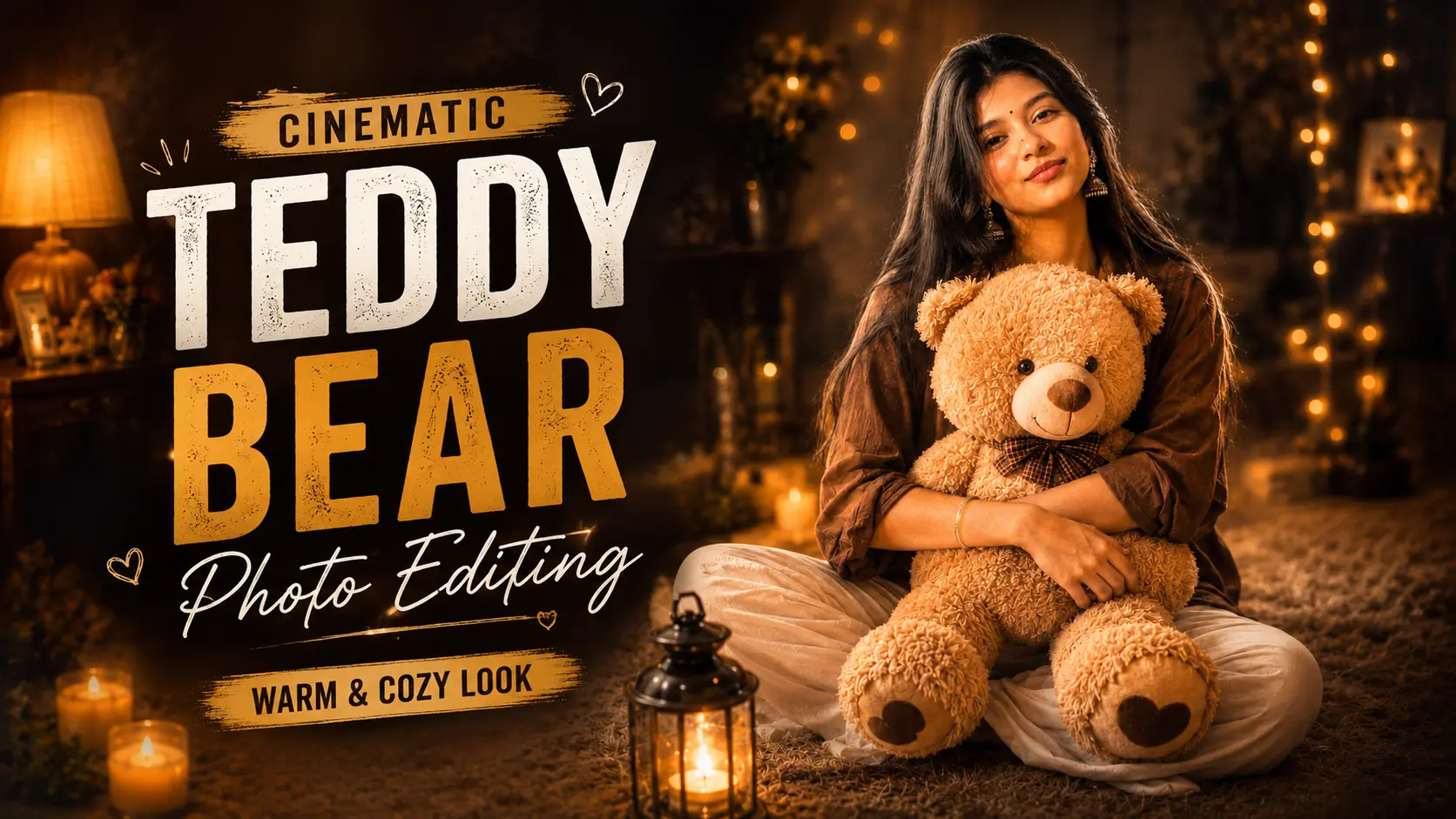
Hello friends, welcome to this new article. Today I have brought for you some unique photos which I hope you will like.I am talking about a photo made with AI in which there will be a photo of you with a teddy bear which looks absolutely real and professional.Who doesn’t like to play with a teddy bear? Often the cute design of a teddy bear attracts people to touch and play with it.People also take their photos with teddy bears, ranging from small to large sized teddy bears, and post their stories or upload them on social media.There are some people who cannot afford such big teddy bears or do not want to waste their money on them. So now you can take your own photo with a teddy bear without buying one, and that too absolutely free within 2-3 minutes.So if you want to give your photo a professional look with a teddy bear, then read today’s article very carefully.
What is the Teddy Bear AI Photo
Teddy bear AI photo is a photo which is completely new at present time, this photo is completely made with the help of AI.In which there is a photo of you hugging a teddy bear.When people see these teddy bear photos in their feeds, they are forced to stop because these photos are so cute. After seeing this, everyone would want to make a similar teddy bear photo.
Simply put, Teddy Bear AI Photo Trend is a modern AI photo editing trend that transforms your ordinary photo into an emotional, luxurious, and professional portrait.This trend is a perfect blend of technology, creativity, and emotion. If you’re looking to give your social media profile a fresh and premium look, this trend could be a great option for you.
Nowadays, there is a huge trend of making photos using AI, in which people upload their normal photos in AI and get them edited as per their wish with the help of prompt. Photos made with AI are so natural and professional that people cannot even recognize whether they are real or fake.
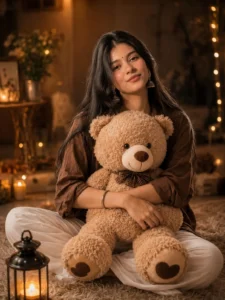
Use the uploaded image as the exclusive identity reference. Preserve the subject's exact facial identity with complete accuracy, including facial structure, jawline, eyes, eyebrows, nose, lips, ears, natural skin tone, skin texture, hairstyle, hairline, age, body proportions, and overall likeness. Maintain perfect identity consistency throughout the generation. The face must remain instantly recognizable as the same person in the uploaded image without beautification, facial reconstruction, stylization, or identity drift.Transform only the environment while preserving the subject's identity.Create a warm, luxurious indoor portrait where the subject is sitting comfortably on a soft cream-colored fluffy carpet while gently hugging an oversized premium beige teddy bear. Dress the subject in an oversized brown linen shirt with relaxed white trousers. Design the room with elegant wooden furniture, warm ambient lamps, candles, fairy lights, decorative plants, premium home décor, and subtle golden bokeh to create a peaceful, cozy atmosphere.Capture the portrait as a luxury lifestyle editorial photograph with cinematic warm lighting, soft rim light around the hair, realistic shadows, premium color grading, ultra-detailed fabric textures, and natural skin rendering.Camera:Full-frame DSLR, 85mm lens, f/1.8, shallow depth of field, HDR, RAW photography, creamy bokeh, ultra-sharp focus.Style:Ultra Photorealistic, Hyper Realistic, 8K Resolution, Editorial Photography, Luxury Lifestyle, Magazine Cover Quality, True-to-Life Colors, Premium Retouching, High Dynamic Range.Negative Prompt:identity drift, face swap, different person, altered facial features, beauty enhancement, AI face, facial reconstruction, different hairstyle, different hairline, different skin tone, cartoon, anime, CGI, plastic skin, unrealistic anatomy, blurry, low quality, watermark, logo, text.
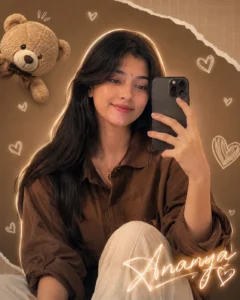
Use the uploaded image as the exclusive identity reference. Preserve the subject's exact facial identity with complete accuracy, including facial structure, jawline, eyes, eyebrows, nose, lips, ears, hairstyle, hairline, skin tone, skin texture, body proportions, age, and overall likeness. The identity must remain perfectly consistent throughout the image without beautification, facial reconstruction, stylization, or identity drift.Create a premium mirror selfie in a luxurious modern bedroom. The subject is naturally smiling while holding a black smartphone in front of a large elegant mirror. Add soft glowing white doodle hearts around the mirror, a floating premium teddy bear in the upper corner, and subtle paper-texture graphics for a modern social-media aesthetic.The room features warm ambient lighting, beige and brown luxury interior tones, elegant furniture, decorative plants, soft curtains, premium bedding, and cinematic reflections. Add a soft glowing outline around the subject while maintaining realistic lighting and reflections.Include elegant handwritten glowing text reading "[YOUR NAME]" near the bottom-right corner.Capture the image as a luxury fashion editorial portrait with soft cinematic lighting, creamy bokeh, shallow depth of field, premium color grading, realistic reflections, and ultra-detailed skin rendering.Camera:Full-frame DSLR, 85mm lens, f/1.8, HDR, RAW photography, ultra-sharp focus.Style:Ultra Photorealistic, Luxury Editorial Photography, Instagram Premium Aesthetic, Hyper Detailed, 8K Resolution, Magazine Quality, Natural Skin Texture, True Color Accuracy.Negative Prompt:identity drift, face swap, different person, AI-generated face, beauty enhancement, facial reconstruction, different hairstyle, different skin tone, unrealistic reflection, anime, cartoon, CGI, plastic skin, watermark, logo, text, low quality, blurry.
How To Create Teddy Bear Ai photo
So friends, below I am telling you every process of making a photo with a teddy bear, step by step. To create this photo, I am giving you step by step instructions like which prompt to use and which tool to use, so that you can easily create your photo.
- First of all, to make this photo, you have to copy the prompt given below any photo.
- Now you have to come down and click on create your image.
- You have to download the Chatgpt app from Play Store and login it with your Gmail and if you have already done this then you do not need to do this.
- Now click on the plus icon of the chat and take a nice photo of yourself and paste the copied prompt and click on the send button.
- Now Chatgpt will start creating your photo, it may take some time, you have to wait a little.
- As soon as your photo is ready, you can download it by clicking on the download button.
- Similarly, you can create similar photos of yourself and other friends and post them on your story.
Tips For Creating a Best Ai Photo
At present, if you are taking photos with AI, then you cannot get a good result just by using prompts. There are some ways by which you can make your photos look really natural and professional.So that your photo looks even more unique, I am telling you some tips, by following which you will easily be able to give a natural look to your photo.
1. Choose High Quality Image :
Whenever you think of creating a photo with the help of an AI, always select a high quality image which is absolutely clear.
2. The face should be clearly visible:
What sometimes happens is that when people upload photos, their face is not clearly visible or is covered with hair.Or if the photo is in a different pose in which the face is towards the back, then it should not be like that at all.
3. Use the Identity Preservation Prompt :
If you are making a photo and the AI is still changing your face then add this in the prompt, (Don’t change facial identity,skin tone & hair style).
4. Use the right AI tool :
If you want to create photos with an AI, it’s important to use the best AI tool, as not all AI tools create perfect images.If I had to suggest you any AI tool, I would recommend you to use Chatgpt. Chatgpt is easy to use and generates high-quality images, that too for free.
FAQ :
1. What is Teddy Bear Ai Photo Trend ?
Teddy bear AI photo is a photo in which your normal photo is transformed into a teddy bear with the help of AI, which looks very beautiful.
2. Which AI Tool is best for creating Teddy Bear AI Photo?
If you need a tool to create such photos then I would first suggest you Chatgpt and then Google Gemini.
3. Is it free to create a Teddy Bear AI Photo?
Yes, absolutely Chatgpt and Google Gemini will make images for you for free. In these, you can make some limited photos in a day.
4. Can Teddy Bear AI Photo be created using mobile also?
Yes you can create chatgpt and google gem ini by using it on every single device be it mobile, laptop or tablet
Conclusion :
So friends, I hope that you all liked today’s article and it would have helped you a lot in making such photos. In this I told you how you can decorate your normal photo with a teddy bear with the help of AI Auto Prompt and you can upload it on your DP story or social media. If you want to make more such trending and viral photos, then you can follow us on social media as well, you will keep getting updates from there too.Today’s article ends here, we will meet you with another new article.