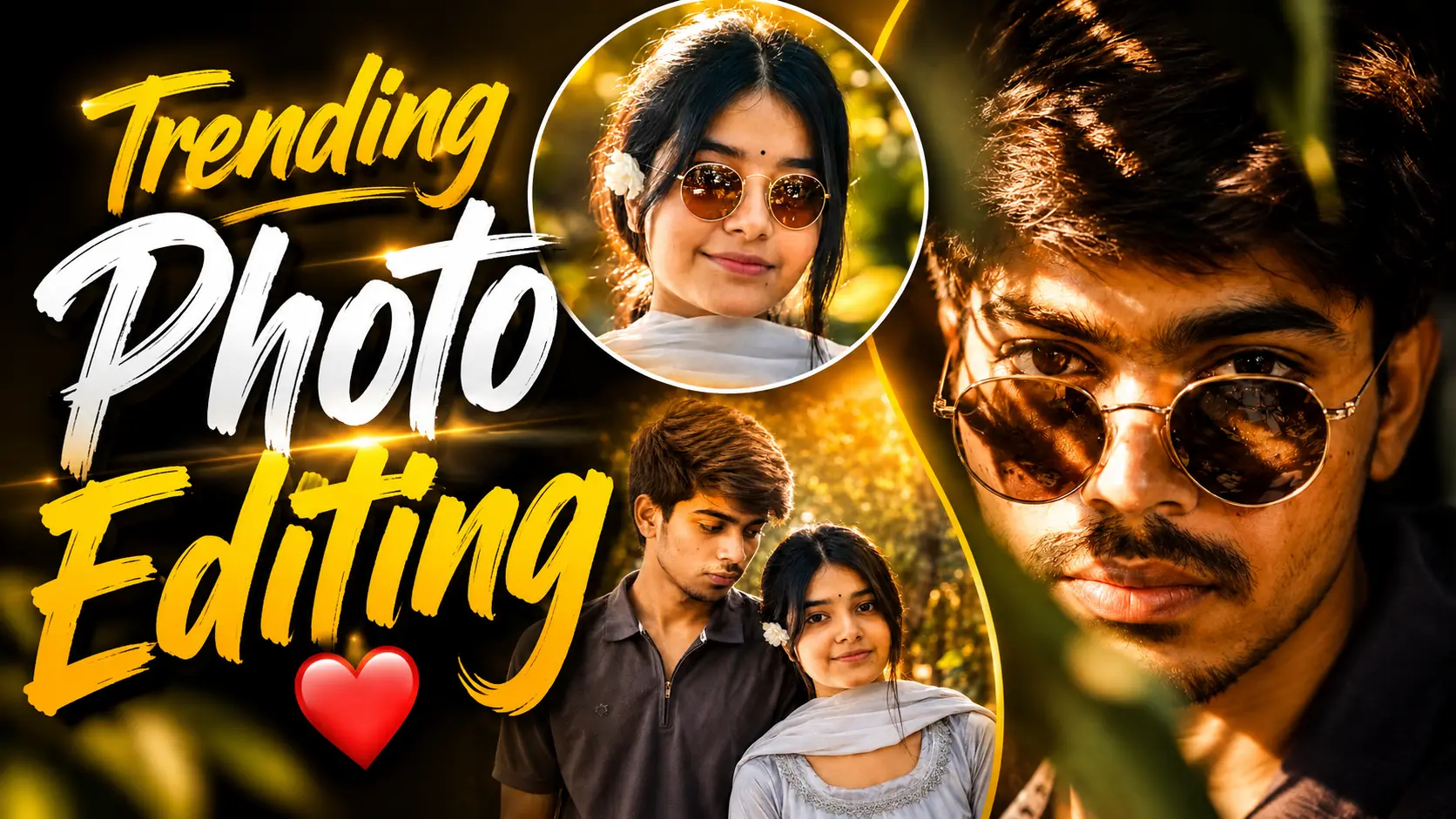
Friends, a new photo editing trend is rapidly becoming popular across social media platforms such as Instagram, WhatsApp, and Facebook. People are transforming their ordinary photos into stunning cinematic portraits with warm golden lighting effects, creating attractive profile pictures and story posts that grab attention instantly.
These aesthetic edits feature golden tones, soft highlights, dramatic lighting, and a professional cinematic look that makes any photo appear more stylish and visually appealing. As a result, many users are replacing their regular profile pictures with these trendy edits and sharing them across social media.
If you also want to create a cinematic DP that looks professional and eye-catching, you are in the right place. In this article, VS Editor will guide you through the complete process of creating a trending golden-light portrait using AI tools and simple techniques.
Details of This Trending Photo :-
If we talk about this cinematic golden-light photo, it looks extremely attractive and professional. The best part is that you can create this type of photo in just a few clicks without spending hours on editing.
Unlike traditional photo editing, where people capture photos with expensive cameras and spend a lot of time enhancing them, this trend uses AI technology to generate cinematic results quickly. You do not need advanced editing skills or professional software to create these images.
With the help of a simple prompt and your normal photo, you can achieve a DSLR-style cinematic look within minutes. Below, you will find all the information and steps required to create this trending photo easily.

Ultra-realistic extreme close-up cinematic portrait of the man from the attached reference image, preserving facial identity with maximum accuracy and consistency. He is looking directly into the camera with a powerful, intense, and confident expression, maintaining the exact facial structure, eyes, nose, lips, beard, hairstyle, and skin tone of the reference image. He wears elegant round gold-rimmed sunglasses with realistic reflections while making direct eye contact through the lenses.Dramatic dappled warm sunlight filters through an unseen object, casting artistic patterns of bright golden highlights and deep shadows across his face and hair. Loose strands of hair glow softly in the sunlight with rich texture and depth. Extremely shallow depth of field with soft blurred foreground elements partially obscuring the frame, creating an intimate, dreamy cinematic composition.
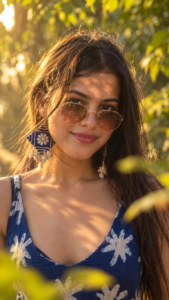
 Ultra-realistic cinematic close-up portrait of the woman from the uploaded photo. Keep the face 100% identical with maximum identity preservation. Do NOT change facial structure, eyes, nose, lips, jawline, skin tone, hairstyle, body shape, or expression. Preserve the EXACT SAME outfit, dress, accessories, and appearance from the uploaded image. No face swap, no beautification, no clothing change.
She is wearing elegant round gold-rimmed sunglasses with warm amber lenses. Golden-hour sunlight filters through leaves, creating beautiful dappled light and shadow patterns across her face. Soft natural smile, confident expression, direct eye contact with the camera.

Shallow depth of field, blurred yellow-green foliage in foreground and background, dreamy bokeh, warm cinematic color grading, soft highlights on hair, realistic skin texture, ultra-detailed eyes, natural makeup, luxury fashion photography style.

85mm DSLR lens, f/1.8, close-up portrait, professional editorial photography, photorealistic, ultra sharp focus on face, soft background blur, premium Instagram aesthetic, golden sunlight, outdoor nature setting.

Quality: 8K, HDR, ultra realistic, hyper detailed, cinematic lighting, masterpiece quality.

Negative Prompt:

No face change, no AI face swap, no different dress, no different hairstyle, no cartoon, no unrealistic skin, no blurry face, no extra fingers, no distorted features, no bad anatomy, no low quality, no over-smoothing, no beauty filter.
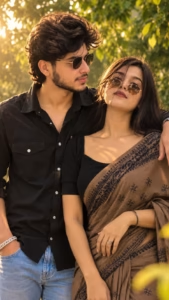
Ultra-realistic cinematic romantic couple portrait using the uploaded photos. Keep both faces 100% identical with maximum identity preservation. No face change, no beautification, no hairstyle or clothing change. The couple stands close together in a beautiful garden during golden hour. Warm sunlight through trees, dreamy bokeh, soft natural expressions, romantic atmosphere, shallow depth of field, realistic skin texture, ultra-detailed eyes, 85mm DSLR, f/1.8, professional photography, HDR, 8K quality, cinematic color grading, ultra sharp focus on faces, premium Instagram aesthetic.
Negative Prompt: Face change, face swap, beauty filter, cartoon, anime, blurry face, distorted features, bad anatomy, low quality, extra people, unrealistic skin.
How to Create This Photo :-
Creating a golden-light cinematic photo is very simple. Just follow the steps below carefully:
- First, copy the prompt provided on our website.
- Scroll down and click on the “Create Your Image” button.
- Download ChatGPT and log in using your Gmail account.
- Click on the plus (+) icon and upload your photo.
- Paste the prompt and tap the Send button.
- Wait a few moments while the AI generates your image.
- Once the image is ready, download it to your device.
- You can now use the photo as your social media DP or share it on your stories.
Create Your Image
Why Use ChatGPT for Photo Editing?
ChatGPT has become one of the easiest ways to create AI-generated cinematic photos. Earlier, editing a photo professionally could take hours, but now similar results can be achieved within minutes.
- The AI understands your prompt and creates images based on your instructions, helping you achieve a stylish cinematic look quickly.
- Another advantage is that image quality and facial details are often maintained more effectively compared to many other AI tools.
- For users looking for fast, simple, and high-quality photo editing, ChatGPT can be a useful option for creating creative and attractive images.
How to Fix Face Change Problems While Creating AI Photos :-
Many users face a common issue while generating AI photos—their facial features change in the final image. Fortunately, there are a few simple ways to reduce this problem and improve results.
- Use a clear and high-quality photo whenever possible.
- Choose an image where your face is clearly visible and properly lit.
- Avoid photos with excessive background objects or distractions.
- Upload a close-up selfie or portrait instead of a long-distance photo.
- Make sure the image is not blurry or heavily filtered before uploading it.
Following these tips can help AI tools recognize your facial features more accurately and produce better results.
Conclusion :-
We hope this article has helped you understand how to create a trending golden-light cinematic photo using AI. By following the steps and tips mentioned above, you can easily generate attractive and professional-looking images for your social media profiles.
If you want better results, make sure to use a clear photo and follow each step carefully. Should you have any questions or face any issues while creating your image, feel free to contact us through email or leave a comment. We will be happy to help.