Introduction
AI photo editing has become one of the easiest ways to create creative and realistic-looking photographs without needing a professional camera or an expensive photoshoot. With the right AI tool and a well-written prompt, you can transform an ordinary couple photo into a completely different scene while keeping the overall look natural.
From romantic outdoor portraits to traditional couple photos, cinematic scenes, casual photographs, and indoor portraits, AI can help create a wide variety of styles. The quality of the final result, however, depends greatly on the reference photo and the instructions given to the AI.
In this guide, we will explain how to create realistic AI couple photos, how to write better prompts, and what you should keep in mind when editing photos of real people.
What Is AI Couple Photo Editing?
AI couple photo editing is the process of using artificial intelligence to modify or recreate a photograph of two people.
Instead of manually changing every part of an image, you can describe the changes you want in simple language. The AI can then generate or edit the image according to those instructions.
For example, you can change the:
- Background
- Clothing
- Lighting
- Pose
- Camera style
- Environment
- Overall mood
- Image composition
This makes AI photo editing useful for people who want to experiment with different photography ideas without arranging a real photoshoot.
Why Are AI Couple Photos So Popular?
Couple photography has always been popular on social media, but AI has added a new creative element to it.
A single reference photo can be used to create multiple different looks. The same couple can be placed in an outdoor location, a traditional setting, a cinematic environment, or a simple indoor scene.
Another reason for the popularity of AI couple photos is that creating them is relatively simple. You don’t need advanced photo-editing knowledge. A clear image, a suitable AI image tool, and a detailed prompt are often enough to get started.
What Makes an AI Couple Photo Look Realistic?
Creating an attractive image is easy. Making it look like a real photograph is more challenging. A realistic AI couple image usually needs natural facial details, believable lighting, realistic shadows, proper body proportions, and a convincing interaction between the two subjects.
The prompt should therefore describe more than just the word “romantic.” It is better to explain what the couple is actually doing, where they are, what they are wearing, and how the photograph should be captured.
Prompt ⬇️
EDIT THE UPLOADED REFERENCE IMAGES DIRECTLY — DO NOT RECREATE THE PEOPLE. The uploaded references are the ABSOLUTE SOURCE OF TRUTH for both people. Preserve both faces and identities EXACTLY as shown. Do not regenerate, redraw, beautify, or modify either face. Keep the exact face shape, eyes, eyebrows, nose, lips, jawline, cheeks, chin, ears, skin tone, skin texture, hairline, hairstyle, and every natural facial detail. The SAME two people must remain recognizable.

KEEP THEIR ORIGINAL CLOTHES EXACTLY AS IN THE REFERENCES. Do not change colors, patterns, fabric, fit, buttons, accessories, or any clothing detail.

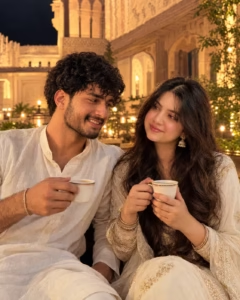
Place them sitting closely together in a beautiful historic palace courtyard at night, with warm golden lights, plants and soft background blur. Add natural romantic expressions, realistic lighting, authentic skin texture, DSLR photography, cinematic depth, and subtle shadows. Change only the environment, pose and lighting. NO face change, NO outfit change, NO beauty filter.
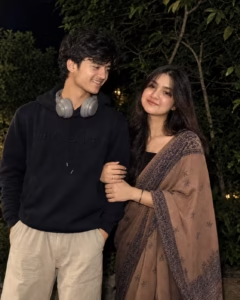
EDIT THE UPLOADED REFERENCE IMAGES DIRECTLY — DO NOT RECREATE THE PEOPLE.

The uploaded references are the ABSOLUTE SOURCE OF TRUTH for both people. Preserve both faces and identities EXACTLY as shown. Do not regenerate, redraw, beautify, or modify either face. Keep the exact face shape, eyes, eyebrows, nose, lips, jawline, cheeks, chin, ears, skin tone, skin texture, hairline, hairstyle, and every natural facial detail. The SAME two people must remain recognizable.

KEEP THEIR ORIGINAL CLOTHES EXACTLY AS IN THE REFERENCES. Do not change colors, patterns, fabric, fit, buttons, accessories, or any clothing detail.

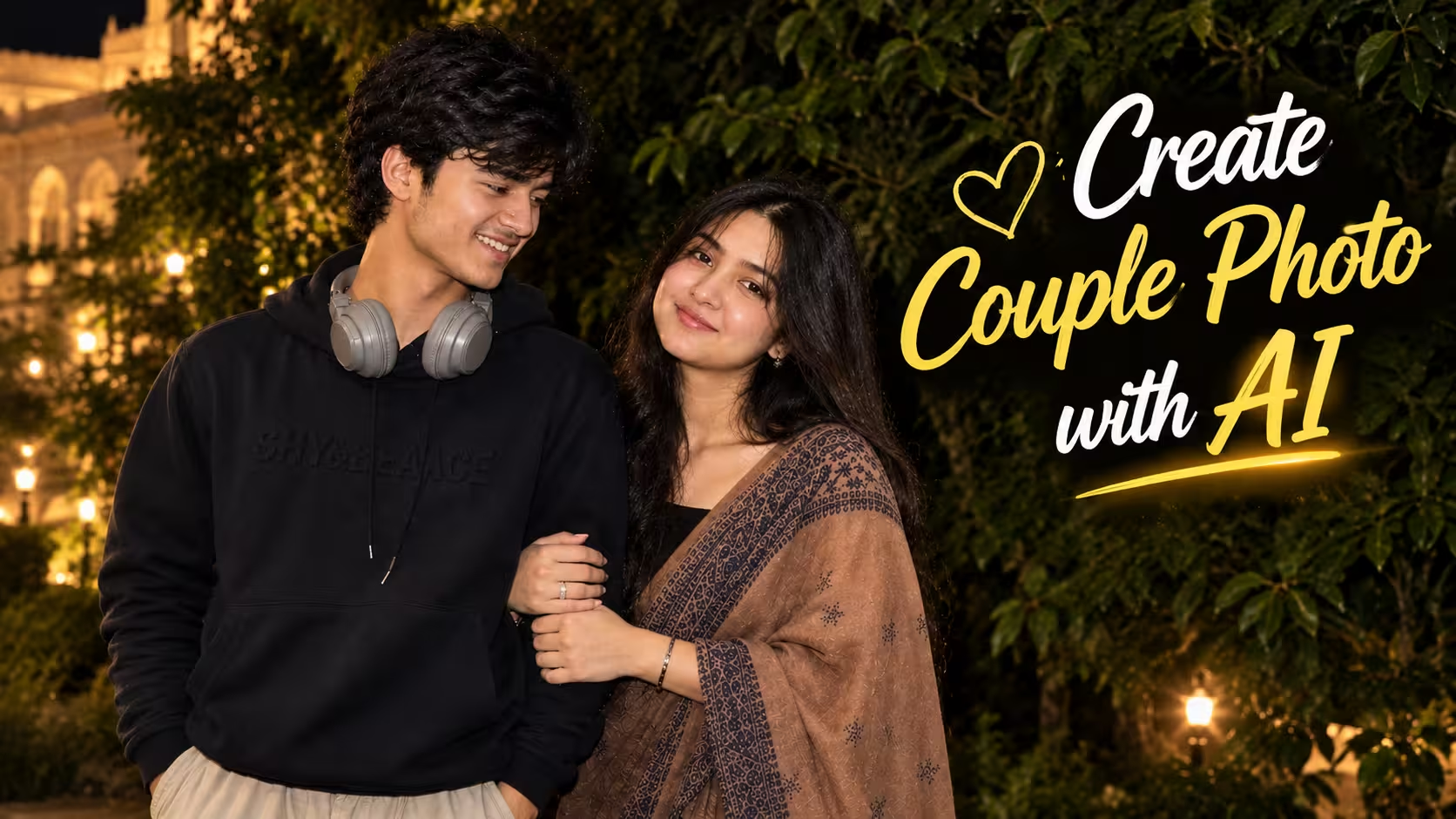
Place the couple standing closely together outdoors at night, with the woman naturally holding the man's arm. Use a dark leafy background, realistic direct-camera flash, natural shadows, subtle background blur, authentic skin texture, realistic hair detail, and DSLR-quality photography. Change only environment, pose and lighting. NO face change, NO outfit change, NO beauty filter.
How To Create Photo
I am telling you some steps to make a couple photo, by reading and following which you can easily make a couple photo.
- First of all you have to download the chatgpt app from play store.
- Now you have to login to Chatgpt from your Gmail.
- You have to come back to this post and copy the prompt given below the photo.
- Scroll down and click on the create your image button.
- You have to click on the plus icon of Chatgpt and upload your and your gf’s photo from there and send it by pasting the copied prompt.
- Now Chatgpt will start creating your photo and in a short while your couple photo will be ready.
- Now you have to download that image and you can use it anywhere you want.
Create Your Image
Common Mistakes With AI Couple Photos
One of the most common mistakes is expecting a perfect result from the first generation. AI can sometimes change facial details, create unnatural hands, distort clothing, or add unwanted objects to the background. Another mistake is using a poor-quality reference photo, which can make it difficult for the AI to maintain the appearance of the subjects. Over-editing the image can also make the final result look artificial. If the lighting, shadows, background, and subjects do not match properly, the photograph may lose its natural look.
Tips for Better Results
- Use a clear reference photo: Choose a sharp image where the faces and important details are clearly visible.
- Keep the instructions simple: Focus on the main changes you want instead of adding too many conflicting details.
- Describe the pose naturally: Natural interactions usually make a couple photo look more realistic.
- Pay attention to lighting: Make sure the lighting on the subjects matches the environment and background.
- Choose a suitable background: A clean and realistic background can make the couple stand out without making the image look artificial.
- Maintain facial identity: When editing real photos, clearly indicate that the original facial features and overall appearance should be preserved.
- Use the right aspect ratio: Choose 4:5 for portrait social posts or 9:16 for Stories and Reels.
- Check the final image carefully: Look for unusual hands, facial changes, distorted clothing, or strange background elements before publishing.
- Try small adjustments: If the first result isn’t right, make a few targeted changes instead of completely changing the scene.
- Avoid excessive retouching: Natural skin texture and realistic details usually make the final photograph more convincing.
FAQ
1. Can I use the AI photo editing prompt with any photo?
Yes, you can use the prompt with most clear and good-quality photos. A front-facing or well-lit photo usually gives better results.
2. How can I get more realistic results from an AI photo prompt?
Use a clear reference image and mention important details such as lighting, camera style, facial details, background, and overall composition in the prompt.
3. Why does AI sometimes change the face in my photo?
AI may change facial features when the reference image is unclear or when the prompt does not clearly instruct it to preserve the person’s identity.
4. Which AI tool is best for photo editing prompts?
Different AI tools can produce different results. The best choice depends on the type of edit, realism, and level of control you need.
5. Can I use AI-generated photos on social media?
Yes, AI-generated or AI-edited photos can generally be shared on social media. However, you should follow the platform’s rules and avoid misleading or unauthorized content.
Final Thoughts
AI couple photo editing has made creative photography more accessible than ever. You can experiment with different locations, outfits, lighting styles, poses, and photography looks without arranging a traditional photoshoot.
The key to getting a convincing result is to start with a good reference image and pay attention to the details that make a photograph feel real. Lighting, expressions, body language, background, clothing, and composition all work together to create the final image.
AI technology will continue to improve, but the best results still come from clear ideas and careful editing. With a little experimentation, even a simple couple photograph can be turned into a creative and natural-looking portrait.