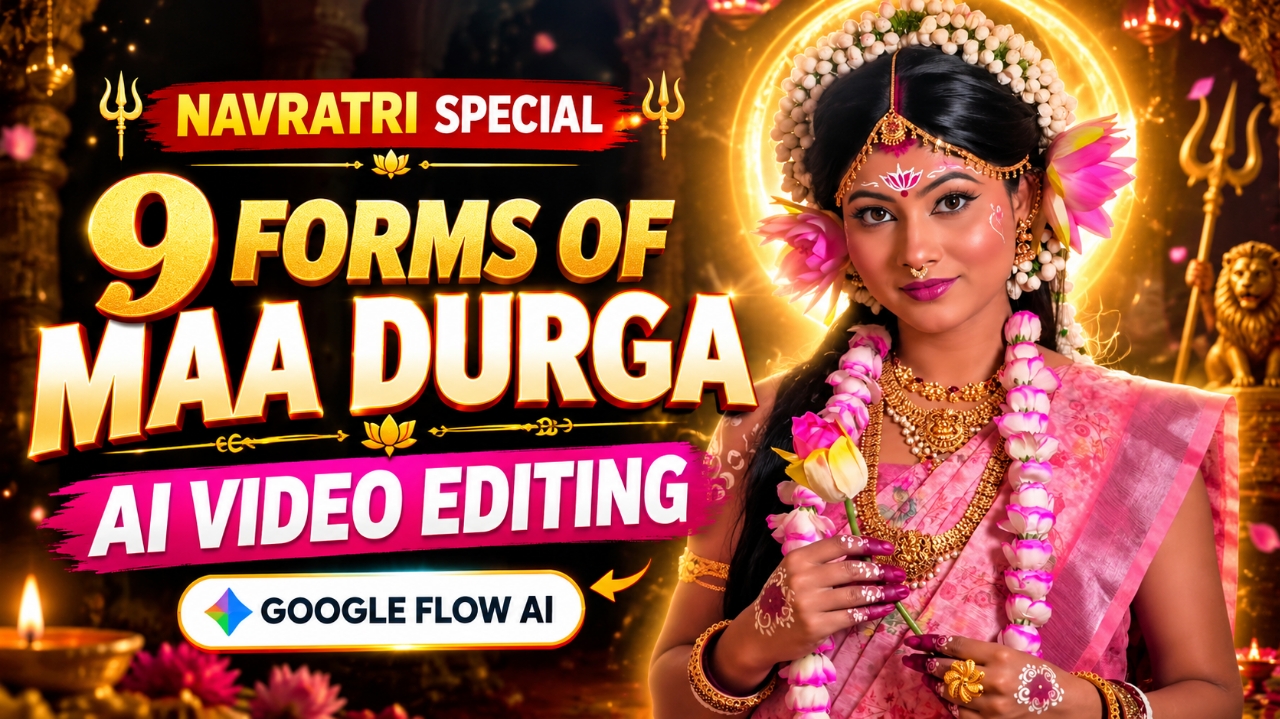
So friends, during this time a reel is going viral on Instagram on Navratri in which girls are showing 9 forms of Navratri and changing their outfits. Meaning that Parvati ji is seen in 9 forms and the outfit changes in every form. Earlier, everyone used to make videos by shooting them in real style and editing them, but as soon as this trend went viral on the internet, people started making such videos in a new way.And everyone’s videos started going viral, so in today’s post I will tell you how to make such viral videos, you just follow the steps given by me and the steps given in the prompt. will use it as per Now I am explaining to you in the below details what is this Ai Navratri transformation girl video editing prompt.
Details Navratri AI Girls Transformation Video Edit
During Navratri, AI transformation videos featuring the nine forms of Maa Durga are becoming a popular idea for Instagram Reels. These videos show a girl transforming into nine different divine looks, with beautiful traditional outfits, jewellery, crowns and cinematic transitions. The best part is that you can create a similar video using your own photo and a reference video. In this tutorial, I’ll explain how to create a Navratri AI Transformation Video using Google Gemini, along with a prompt and simple steps to help you get started.
What Is the Navratri AI Transformation Video Trend ?
The Navratri AI Transformation Video is inspired by the nine forms of Maa Durga worshipped during the nine days of Navratri. The video starts with a normal photo and gradually transforms the girl’s appearance into nine divine looks: Maa Shailputri, Maa Brahmacharini, Maa Chandraghanta, Maa Kushmanda, Maa Skandamata, Maa Katyayani, Maa Kalaratri, Maa Mahagauri and Maa Siddhidatri. Each look features different traditional outfits, jewellery, colours and divine backgrounds. Smooth transitions connect all nine forms, creating a beautiful devotional video for Instagram Reels and YouTube Shorts.
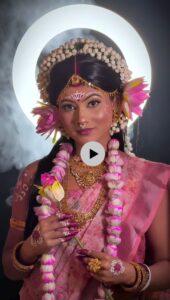
CREATE A 9:16 VERTICAL VIDEO STARTING WITH A NORMAL WOMAN WHO SMILES AND SNAPS HER FINGERS. RETAINING THE EXACT FACIAL FEATURES FROM HER PHOTO, SHE WEARS A SAREE FROM THE BEGINNING AND MORPHS INTO THE FIRST DIVINE FORM OF MAA DURGA IN A PINK SAREE AGAINST A WARM, DIVINE GOLDEN AURA. WITH THE NEXT SNAP, SHE SMOOTHLY TRANSITIONS INTO A SECOND FORM DRESSED IN A ROYAL BLUE SAREE, INTRICATE GOLD JEWELRY, AND A DARK, DRAMATIC BACKGROUND. SHE THEN EFFORTLESSLY CHANGES INTO A THIRD FORM, CHANTING WITH PRAYER BEADS WHILE MAINTAINING EYE CONTACT.
How to Create a Navratri AI Video Using Google Gemini ?
Step 1: Open Google Flow AI — First, open Google Flow AI in your browser and sign in with your Google account. Make sure you have access to a compatible video generation model.
Step 2: Create a New Project — Start a new project and select the available video generation feature that supports your desired workflow.
Step 3: Upload Your Photo and Reference Video — Add the girl’s photo and the Navratri transformation reference video using the available input options. The photo will guide the character’s appearance, while the reference video will help guide the transformation style and camera movement.
Step 4: Add the AI Video Prompt — Copy the Navratri AI Transformation Video Prompt from this article and paste it into the prompt box. Make sure your photo and reference video are attached if the selected workflow supports both inputs.
Step 5: Generate Your Video — Click the Generate option and wait for Google Flow AI to create your video. Check whether the nine forms of Maa Durga appear with suitable outfits and smooth transitions.
Step 6: Preview and Save — Watch the generated video carefully. If you’re satisfied with the result, export or download it using the available option. You can then add devotional music and make final adjustments in your preferred video editing app before sharing it on Instagram Reels.
Note: Available models, reference video inputs and generation limits may vary. If Flow AI doesn’t accept both inputs in the same generation, you may need to adjust your workflow or generate the transformations in separate clips.
How to Get Better Results from Your Navratri AI Video ?
Use a clear photo with good lighting so the AI can better understand the character’s appearance. Choose a reference video with smooth and visible transitions. Mention all nine forms of Maa Durga clearly in your prompt and describe the traditional outfits and visual details you want. If the AI changes the face or skips some forms, simplify the prompt or generate shorter clips and combine them in your video editor. Finally, add suitable devotional music and adjust the timing to make your Instagram Reel more attractive.
Common Problems You May Face
Face Changes: The character’s facial features may change during transformations. Use a clear reference photo and identity-preservation instructions. Missing Forms: The AI may skip some of the nine forms. Try generating shorter clips with fewer transformations. Reference Video Not Uploading: Your selected Gemini feature may not support direct video input. Check the available options or use a compatible tool. Unnatural Transitions: Simplify the action description and try generating the video again.
Conclusion :-
Creating a Navratri AI Transformation Video is a creative way to celebrate the nine forms of Maa Durga using AI. With your photo, a suitable reference video and a clear prompt, you can create a beautiful devotional video without filming every scene yourself. If the first result isn’t perfect, make small changes to the prompt or combine shorter clips during editing. Add devotional music, refine the transitions and share your finished video as an Instagram Reel or YouTube Short this Navratri.