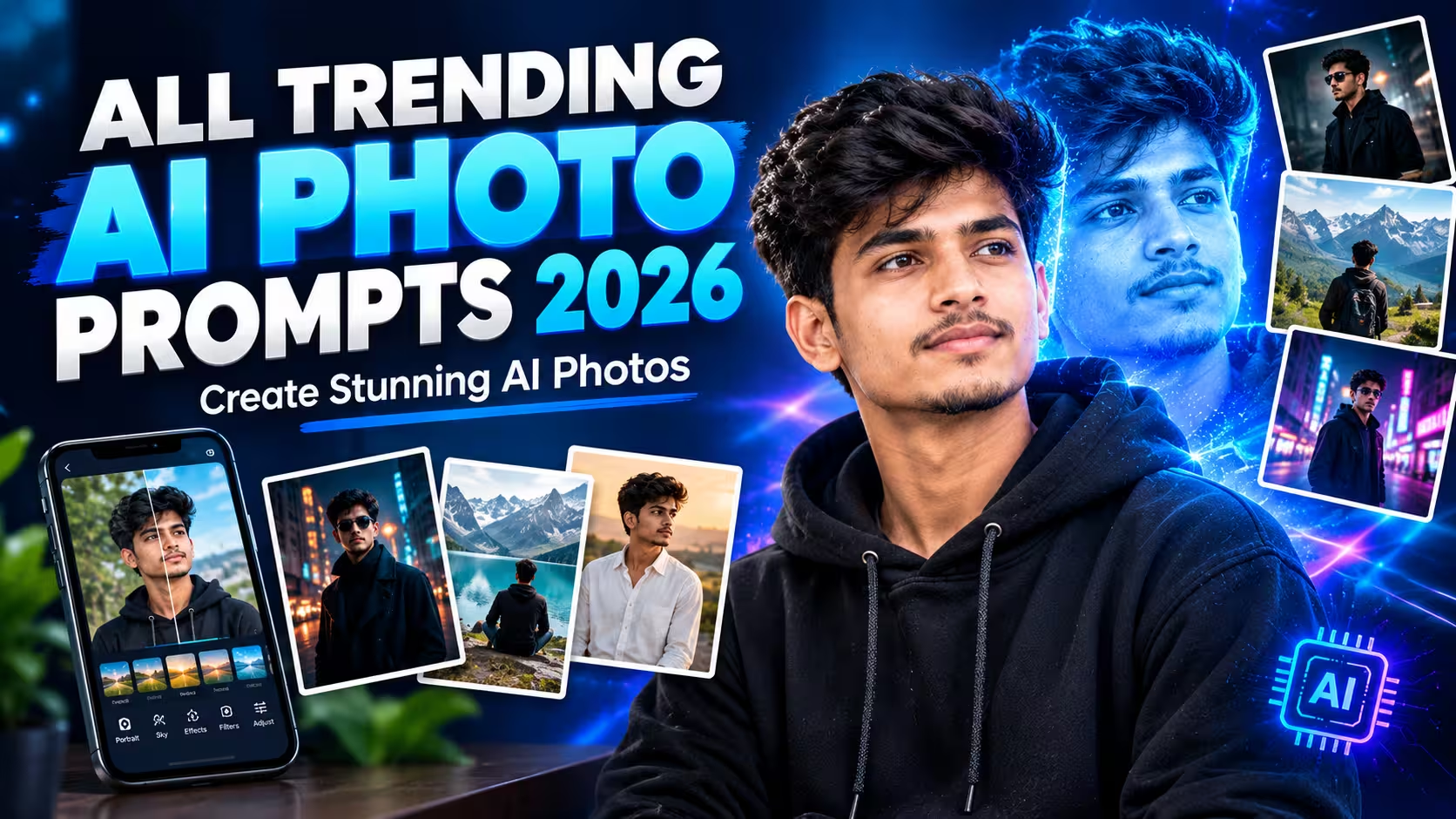
AI photo editing has made it easier to improve pictures without spending hours learning complicated editing software. Today, you can use an AI-powered tool to adjust an image, change its background, improve its lighting, or make selected changes by describing what you want. For beginners, this can be a convenient way to experiment with photo editing. You do not always need advanced technical knowledge or expensive software to get started. A clear photograph, a suitable editing tool, and well-explained instructions can be enough for many common editing tasks. However, getting a good result is not always as simple as uploading a picture and clicking a button. Sometimes, the edited image looks different from the original. Facial features may change, the lighting may look unnatural, or small details may appear distorted. These problems can make an otherwise good image look artificial. The key is to understand how AI photo editing works and how to use these tools properly. Instead of relying entirely on automatic results, you should know what to check, which changes to request, and when an image needs further editing. In this guide, we will explain how AI photo editing works, how to create and improve images, and what you can do when the result does not match your expectations. The aim is to help you make better editing decisions, whether you are using an AI tool for personal photographs, social media content, or website images.
What Is AI Photo Editing?
AI photo editing is the process of using artificial intelligence to change or improve a digital image. Depending on the tool, it can help with tasks such as adjusting lighting, removing unwanted objects, replacing backgrounds, improving image clarity, and generating new visual details. Traditional editing often requires users to make individual adjustments manually. AI-powered tools can automate some of these tasks or allow users to describe the changes they want in ordinary language. For example, imagine that you have a photograph with a distracting object in the background. An AI editor may be able to remove that object and reconstruct the area behind it. Similarly, some tools can help improve the overall lighting or modify selected parts of an image. The process differs from one platform to another. Some tools focus on enhancing existing photographs, while others generate new images from text descriptions. Certain platforms support both functions. It is important to understand the difference between editing and generating an image. When you edit an existing photograph, you generally want to preserve important parts of the original image while changing selected details. When you generate a new image, the system creates visual content based on your instructions and the information available to it. Even when a tool supports image editing, it may recreate parts of the photograph rather than make a perfectly precise adjustment. This is one reason why the final image should always be checked before it is shared or published.
Trending Ai Photo Prompts⬇️
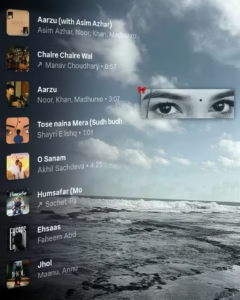
IMAGE 1 = MASTER TEMPLATE, IMAGE 2 = AUDIENCE PHOTO. Current Image 1 is the only master reference. Match its subject position, scale, framing, camera angle, perspective, depth, lighting, HD color treatment and atmosphere. Fit Image 2 naturally into the SAME position and scale; never make it unnecessarily larger. Keep Image 1’s background/environment unchanged. Apply Image 1’s color, lighting and HD visual treatment naturally to Image 2, while preserving Image 2’s real face, identity, hairstyle and original clothing design/pattern. Completely remove Image 2’s old background with clean hair/clothing edges and no halo or leftover fragments. Follow Image 1’s framing: if both images are half-body, keep the final half-body; if full-body framing is required, complete missing parts naturally without forcing full-body unnecessarily. Preserve natural pose and anatomy. Match ground contact, shadows, perspective and depth so the person looks genuinely photographed there. Preserve all text visible in Image 1 exactly as shown; do not remove, erase, alter or omit any existing text. If Image 1 contains no text, do not create or add any new text yourself. Use current Image 1 only—never carry colors/styles from previous images. DSLR-quality, realistic 8K, exact 4:5. Self-check position, scale, framing, identity, color, background and realism; fix errors before final output.
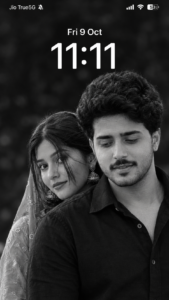
Create an ultra-realistic black-and-white iPhone lock-screen screenshot in an exact 9:16 vertical ratio (1080×1920). Use the uploaded boy’s and girl’s photos as facial identity references, preserving their recognizable faces, natural features, hairstyles, and skin textures. Recreate an intimate couple portrait: the man in the foreground on the right, wearing a black collared shirt, looking downward with a gentle smile. The woman stands slightly behind him on the left, with long dark hair, traditional earrings, and her lower face partly hidden behind his shoulder. Use cinematic monochrome lighting, deep blacks, silver-gray highlights, realistic skin details, and a softly blurred dark background. Add authentic iOS-style white text and icons: “Jio True5G” with a muted-bell icon at top-left, cellular signal, Wi-Fi, and 53% battery at top-right. Display “Fri 9 Oct” and a large centered “11:11” clock. No colors, notifications, borders, watermarks, or extra text.
How to Create AI Photos
Creating an AI photo is quite simple, even if you have never used an AI editing tool before. You just need a photo of yourself and a few easy steps to follow. Here is how you can create your own image using ChatGPT.
- First, decide how you want your photo to look and keep the editing instructions ready. If you are using a prompt from this article, scroll down and copy it before moving to the next step.
- Next, open the ChatGPT app on your phone. Start a new chat and tap the + icon beside the message box. Choose a clear photo from your gallery. A picture with good lighting and a clearly visible face usually works better.
- Once your photo has been uploaded, paste the copied prompt into the chat box and send your message. ChatGPT will process your request and, if image generation is available, create an edited image based on your instructions. It may take a little time, so wait for the result to appear.
- When the image is ready, take a closer look before saving it. Check whether your face looks right and whether the background and other details match what you wanted. If something is not quite right, ask ChatGPT to make the necessary changes.
- Happy with the result? Open the generated image and tap the available download option to save it to your phone.
- That’s all you need to do. Your AI-edited photo is ready to share on Instagram, Facebook, or WhatsApp. You can add a caption that suits your post and share it with your friends and followers.
Create Your Image
Why Are More People Using AI Photo Editing Tools?
One major reason is convenience. Tasks that once required several manual adjustments can now be completed through a simpler process. This makes AI editing useful for people who want to improve their photographs but do not have much experience with traditional editing software. Another reason is flexibility. Users can experiment with different changes without having to start the entire editing process from scratch every time. If the first result is not satisfactory, they may be able to adjust their instructions and try again.
AI editing can also be helpful for content creation. Website owners, bloggers, and social media creators often need suitable images for their content. Depending on the purpose and the tool’s capabilities, AI can help prepare images, remove distractions, or make visual improvements.
Mobile accessibility has made these tools easier to explore as well. Many services can be used through a mobile browser or an application, allowing users to work directly from their phones. Still, convenience should not be confused with accuracy. An AI tool may save time, but it can also introduce mistakes that would not occur during a simple manual adjustment. The best approach is to use AI to assist with editing while remaining responsible for the final result.
Why Does AI Sometimes Change the Original Face?
This is a common concern for people editing their own photographs.
AI image tools do not all work in the same way. Some focus on modifying existing image information, while others may reconstruct or generate parts of the picture. During this process, the system can unintentionally change facial features or other identifying details. A result may still look realistic while no longer matching the original person accurately. This is particularly important when the photograph is intended to represent a real individual.
To reduce unwanted changes, start with a clear reference image and explain which features should remain consistent. If the tool provides options for preserving the original subject, use them where appropriate. It can also help to limit the number of requested changes. If you want to modify only the background, avoid asking the tool to redesign the person’s appearance at the same time.
However, no instruction can guarantee perfect identity preservation across all AI tools. If accurate likeness is essential, examine the result carefully and consider using a method that provides more control over the original image. Always handle personal photographs responsibly. Obtain permission when appropriate before editing or sharing another person’s image, and avoid creating misleading content that could harm someone’s reputation or privacy.
Common AI Photo Editing Problems and Their Solutions
Even when you follow the correct steps, the result may not match your expectations. Understanding common problems can help you decide what to do next.
The Result Looks Different From the Original
This may happen when the instructions are too broad or the tool generates new details instead of preserving the source image.
Try simplifying your request and identifying the most important elements that must remain unchanged. If the tool supports reference-image controls, check whether they can help maintain the original subject.
The Image Looks Blurry
Blurry results can come from a low-resolution source image, the selected generation settings, or limitations of the editing tool.
Start with a clearer original photograph if one is available. Check the export settings and avoid repeatedly saving the same image in a format that reduces its quality. An upscaling feature may help improve apparent detail, but it cannot always recover information that was never present in the original photograph.
The Background Looks Unnatural
Sometimes the AI creates inconsistent edges around a person or object. Hair, transparent materials, and areas with complicated outlines can be particularly difficult to process accurately.
Review the boundary between the subject and the background. If the tool allows further editing, request a correction to the affected area rather than regenerating the entire image unnecessarily.
The AI Ignores Part of the Instructions
Some tools may prioritise certain instructions while overlooking others, particularly when a request contains many requirements.
Try making the main objective clearer and removing details that are not essential. If the task involves several separate changes, complete them in stages when the platform supports that workflow.
The Image Looks Too Artificial
An image may look artificial when the skin is excessively smooth, the lighting is inconsistent, or the details appear unusually perfect.
Use a more restrained editing approach and review the image at full size. Natural-looking results often depend on consistency rather than the number of effects applied.
Is AI Photo Editing Safe to Use?
AI photo editing can be useful, but users should understand how their images are handled.
Before uploading a personal photograph, review the platform’s privacy policy and terms of use. Check whether the service explains how uploaded images are processed, how long they may be retained, and whether they may be used to improve its systems. Avoid uploading sensitive photographs unless you understand the associated risks and are comfortable with the platform’s practices.
You should also consider the rights of other people who appear in your images. Do not assume that finding a photograph online automatically gives you permission to edit or republish it. For commercial use, review the relevant licence and restrictions. Different tools may have different rules for generated content, and those rules can change over time.
Finally, think about how the edited image will be presented. AI-generated or heavily modified photographs should not be used to deceive viewers about important real-world events, identities, or circumstances.
Frequently Asked Questions
1. What is AI photo editing?
AI photo editing uses artificial intelligence to modify, improve, or generate images. Depending on the tool, it can help adjust lighting, remove objects, replace backgrounds, or make other changes based on instructions.
2. Can I edit photos with AI on my phone?
Yes. Many AI photo editing services work through mobile applications or web browsers. The available features depend on the platform and your device.
3. Do I need professional editing skills?
No. Many tools are designed for beginners and allow users to describe changes in ordinary language. However, understanding basic image quality and reviewing the results can help you get better outcomes.
4. Why does AI change my facial features?
Some tools recreate parts of an image during editing, which can result in differences in facial features or proportions. Using a clear reference image and limiting unnecessary changes may help, but perfect identity preservation is not guaranteed.
5. How can I improve the quality of an AI-edited photo?
Start with a clear original image, give specific instructions, and review lighting, proportions, colours, and small details. If something looks wrong, make a targeted correction before saving the final version.
6. Are AI photo editing tools free?
Some platforms offer free features or a limited number of generations. Others charge for advanced functions, higher usage limits, or additional image quality options. Check the current terms of the service you choose.
Conclusion
AI photo editing has made image editing more accessible to people who want to improve their photographs without spending hours learning complex software. From basic enhancements to more advanced changes, modern tools offer several ways to work with digital images. However, the quality of the result depends on more than the AI tool itself. The original photograph, the clarity of the instructions, the available settings, and the final review all play an important role.
Start with a clear image and a specific goal. Make only the changes you need, check the result carefully, and correct any details that do not look right. If the first attempt is unsuccessful, simplify the instructions or try a different approach. Most importantly, do not judge an edited image only by how impressive it looks at first glance. Accuracy, natural details, appropriate use, and respect for personal identity are equally important. With a little practice and a thoughtful approach, AI photo editing can become a useful way to improve images for personal projects, social media, and websites.