
Introduction
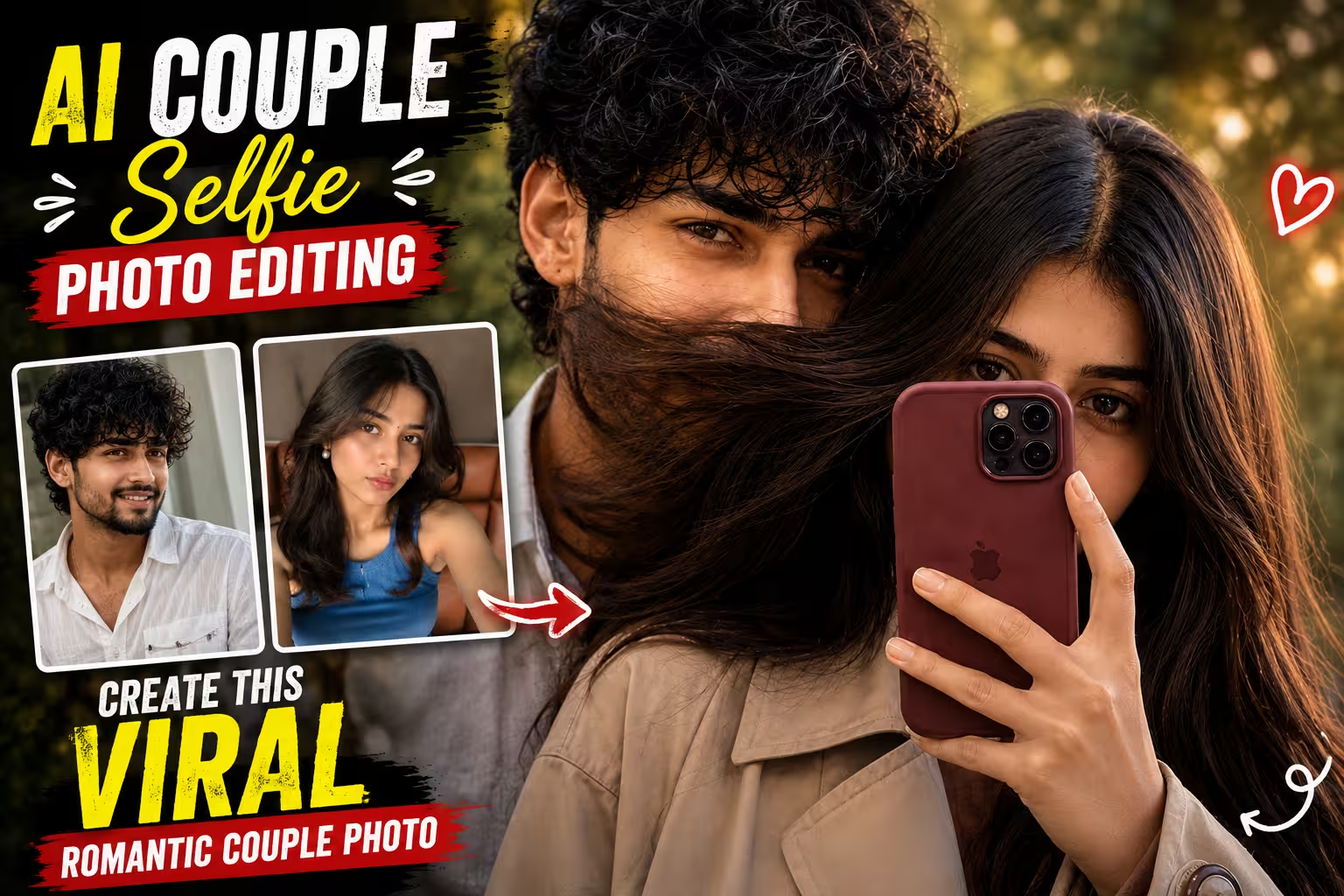
Couple photos are always popular on social media, but you don’t always need a professional photoshoot to create a beautiful romantic picture. With AI photo editing tools, you can turn two normal photos into a natural-looking couple selfie with the right prompt.
In this guide, you will find an AI Couple Selfie Photo Editing Prompt that can be used to create a close and romantic selfie-style photo. The main idea is to keep the photo looking realistic, with natural expressions, soft evening light, blurred greenery, and a casual smartphone selfie feel.
The result can look like a candid photo taken during an evening outing rather than an overly edited AI image.
What Is the AI Couple Selfie Photo Trend?
The AI couple selfie trend is a type of photo editing where two separate photos are used to create a single couple picture.
Instead of making the image look like a studio photoshoot, the prompt focuses on a simple selfie composition. One person can be slightly in front while the other stands very close behind or beside them.
For this particular style, the girl holds a smartphone in front of her face, while the boy is partially visible behind her. A little movement in the hair and a softly blurred outdoor background help give the image a more natural look.
This style works especially well for Instagram posts, profile pictures, stories, and other social media content.
Prompt ⬇️
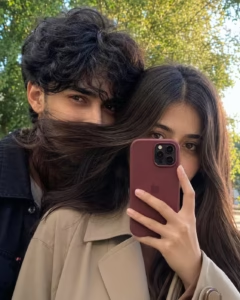
Create an ultra-realistic candid smartphone selfie of a young South Asian couple standing very close together outdoors under natural evening light. The girl is slightly in front, hiding the lower half of her face behind aburgundy/maroon iPhone Pro with a matching silicone case, showing only her expressive eyes. She has long straight ash-brown hair, thick natural eyebrows, soft makeup, and wears a beige trench coat. The boy stands beside her with fluffy black hair covering part of his forehead, only his eyes and upper face visible as his mouth is naturally covered by the girl's flowing hair. A gentle breeze moves the girl's hair across the frame, creating a romantic candid feel. Background features blurred green trees with soft bokeh. Shot on an iPhone, eye-level angle, shallow depth of field, realistic skin texture, cinematic color grading, soft contrast, cozy aesthetic, 3K ultra-detailed, DSLR-quality realism, natural expressions, Instagram-worthy, aspect ratio 4:5-.
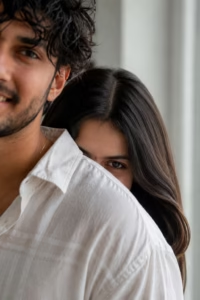
Create an ultra-realistic vertical portrait of two people in a bright, minimal indoor room with soft natural window light. A close-up over-the-shoulder composition shows the foreground person on the left wearing a light White textured linen shirt, with only part of the face visible in a cinematic crop. Behind them, the second person playfully peeks over the shoulder, revealing only one expressive eye and part of the forehead, with long straight center-parted hair. Soft diffused lighting, creamy skin tones, shallow depth of field, realistic fabric texture, natural color grading, 85mm lens, f/1.8, DSLR-quality, photorealistic, cinematic framing, elegant lifestyle aesthetic, HDR, 8K. Negative: blurry, low quality, extra limbs, duplicate people, deformed face, watermark, logo, text, CGI, cartoon, oversaturated colors.
How to Create This Couple Selfie Photo
Making a couple selfie photo is very easy, you can make it and get it ready in just a few minutes.Below I am describing each and every process of making it step by step, by reading and following which you can make a similar photo.
- First of all you have to take a photo of yourself and your girlfriend to make such a photo.
- After that you have to download the Chatgpt app from Play Store and login to it.
- After coming to this post, you have to copy the prompt given below the photo.
- Scroll down a bit and click on the create your image button.
- Now click on the plus icon of the chat and select your and your partner’s photo.
- Paste the copied prompt along with it and click on the send button.
- Chatgpt will start the process of creating your couple photo and in a short while your photo will be created and ready.
- Now you can download it and send it to your partner or post it as a story.
Tips to Get a More Realistic Result
For a realistic AI couple selfie, always use clear and good-quality reference photos where the faces are properly visible. Avoid heavily filtered, blurry, or very dark photos because they can make the AI change facial features. Keep the prompt simple and describe the important details clearly, such as natural skin texture, realistic hair, soft lighting, and authentic expressions. If your AI tool provides a face or identity reference option, use it to maintain the original appearance of both people.
You should also avoid adding too many effects, excessive HDR, or highly saturated colors because these can make the image look artificial. If the first result doesn’t look perfect, try generating another version instead of completely changing the prompt. Small changes like adjusting the lighting, hair movement, or camera angle can make a big difference. For a natural smartphone look, soft evening light, subtle background blur, and realistic skin details usually work best.
Common Mistakes to Avoid
One common mistake is using low-quality or heavily edited reference photos. If the original images are blurry, too dark, or have strong filters, the AI may change the facial features or create unnatural details. Another mistake is adding too many instructions or effects to the prompt at once. Keep the main details clear and simple so the AI can understand the desired composition properly. Also, avoid using extreme beauty filters, unrealistic skin smoothing, or excessive HDR because they can make the final image look artificial.
Sometimes people also expect the first generated image to be perfect. AI tools can make mistakes with hair, hands, eyes, clothing, or the position of the phone. Instead of giving up, generate another variation or make a small change to the prompt. Before downloading the final image, carefully check the face, hands, hair, smartphone, and background. This small check can help you avoid using an image that has obvious AI-generated errors.
Why This Couple Photo Looks Natural
- The main reason this style works is that it doesn’t try to make the image look like a traditional photoshoot.
- The smartphone, partially hidden faces, flowing hair, outdoor greenery, and imperfect framing all make the picture feel more casual.
- The warm evening light also adds depth without making the image look heavily edited.
- A little background blur helps keep attention on the couple while still making the scene look like a real outdoor location.
FAQ
1. Can I use any two photos for this AI couple selfie?
Yes, but clear photos with visible facial features generally give better results. Try to avoid very dark, blurry, or heavily filtered images.
2. Can I create this photo using a normal smartphone photo?
Yes. You don’t need a professional camera. Clear smartphone photos can work well as reference images.
3. What aspect ratio should I use?
For Instagram feed posts, 4:5 is a good choice. For Stories and Reels covers, 9:16 is more suitable.
4. Why does the AI sometimes change the face?
AI image tools may change facial details while creating a new scene. Using clear reference photos and adding instructions to preserve facial identity can reduce this problem.
5. Can I change the clothes and background?
Yes. You can modify the prompt to use different outfits, locations, lighting, or backgrounds while keeping the same overall couple selfie concept.
Conclusion
Creating a realistic couple selfie with AI is easier than it may seem when you use the right reference photos and a clear prompt. The AI Couple Selfie Photo Editing Prompt shared in this article can help you create a romantic, natural-looking photo with soft evening light, realistic skin details, flowing hair, and a casual smartphone selfie feel.
For the best result, focus on keeping the faces natural and avoid adding too many effects. If the first generated image isn’t perfect, simply make a few small changes and try again. With a little experimentation, you can create a beautiful couple photo that looks natural and perfect for sharing on social media.

The Kapil ka video