
Introduction
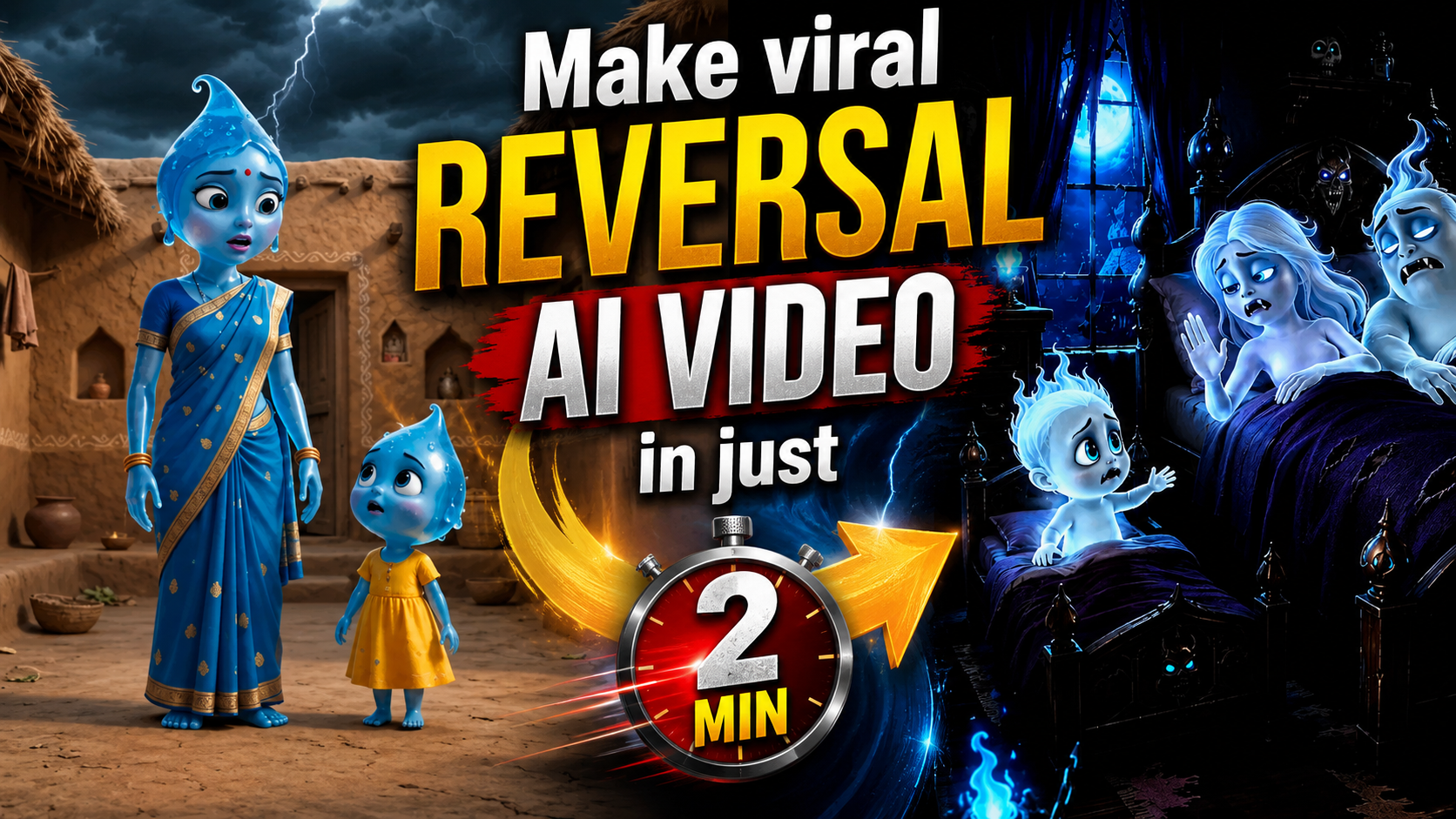
Have you seen those funny AI videos where animals live like humans, while humans behave like animals? These videos are getting a lot of attention on Instagram Reels, YouTube Shorts, and other social media platforms. The concept is simple but very interesting. For example, a monkey can live in a normal house, wear clothes, go to work, and talk with its family like a human. At the same time, tiny humans can behave exactly like real monkeys by jumping, climbing, stealing food, and running around.
This type of video is called an AI Animal vs Human Role Reversal Video. The good thing is that you do not need a professional camera or a big production team to create this type of content. With the right AI tools, a good story idea, and properly written prompts, you can create realistic and entertaining videos from your mobile or computer.
In this guide, I will explain how you can create your own AI animal vs human role reversal videos step by step.
What Is Animal vs Human Role Reversal Video?
An animal vs human role reversal video is based on a simple idea: animals and humans exchange their normal roles. The animal behaves like a normal human. It may have a family, live in a house, wear clothes, go shopping, work at a job, or take care of its children. Humans, on the other hand, behave like the selected animal.
For example, if you choose a monkey, the story could be like this:
A large monkey lives with his family in a normal Indian house. He wears clothes and talks to his wife and child in Hindi. Everything looks normal to the monkey family. Suddenly, a tiny human enters their house. But this tiny human does not behave like a normal person. Instead, it behaves exactly like a real monkey. It jumps from one place to another, climbs furniture, steals bananas, grabs random objects, and quickly runs away.
The monkey family gets angry and confused because a small human keeps disturbing their peaceful life.
This creates a funny and unexpected situation that can work very well as a short-form video.
Why Are These AI Animal vs Human Role Reversal Videos So Viral?
AI Animal vs Human Role Reversal Videos are becoming popular because they offer something viewers do not see in normal videos. The unusual concept immediately creates curiosity and makes people want to know what happens next. Seeing animals living like humans and tiny humans behaving like animals feels funny, surprising, and highly entertaining. These videos are also easy to understand without much explanation, which makes them suitable for short-form platforms like Instagram Reels and YouTube Shorts. The unexpected situations, funny Hindi dialogues, realistic visuals, and quick storytelling help keep viewers engaged until the end. When a video also has a surprising or funny ending, people may watch it again or share it with friends.
How To Create Ai Video
I am telling you the process of making this video, how you have to make this video.I am explaining each process step by step. Now you can easily make your own AI video by following the steps given.
The process of making a video is divided into 2 parts, first of all you have to generate a script for your video and after that, you have to insert its video prompt in the video AI tool and convert it into video.
Generate Your Script
- For the script, first of all you have to download the Chatgpt app from Google Play Store and then login to it with your Gmail account.
- Below you have to scroll down and click on Get Your Script
- After that, copy and paste the entire prompt given in front of you and write the name of the animal or creature whose video you want to make in the column given below.
- After that you have to click on send, in a short while Chatgpt will give you the script for your video along with the video prompt.
Get Your Script
Step To Create Your Video
- To make a video, first of all you have to copy the entire prompt of scene 1.
- After that you have to click on the “Create Your Video” button given below.
- Then open Google Flow and log in. Then click on New Project.
- Now select the video option and keep the duration as 10 seconds, and select omni flash.
- Now paste the prompt you copied and click send. Google Flow will start making your video.
- Your video will be ready in a short while. You can also create a video for Scene 2 by following the same process.
- Once all the scenes are generated, you just need to upload them to a video editing tool and edit them a little and your video is ready.
Create Your Video
FAQ
1. What is an AI Animal vs Human Role Reversal Video?
An AI Animal vs Human Role Reversal Video is a type of AI-generated video where animals behave like normal humans, while tiny humans behave like the selected animal in real life.
2. How can I create an AI Animal vs Human Role Reversal Video?
To create this type of video, first generate a script and scene-by-scene video prompts using ChatGPT. After that, use an AI video generation tool such as Google Flow to turn the prompts into video clips. Finally, combine and edit all the scenes using a video editing tool.
3. Can I create an AI role reversal video using ChatGPT?
Yes. You can use ChatGPT to generate a complete story, Hindi dialogues, scene descriptions, and detailed AI video prompts based on the animal or creature you choose.
4. How do I choose an animal for my AI video?
You can choose almost any animal or creature. However, it is better to select an animal with unique natural behaviors. For example, you can use a monkey for climbing and stealing food, a dog for chasing and guarding, or a cat for sneaking and jumping.
5. How do I generate the script for my AI video?
You can use a suitable ChatGPT prompt and enter the name of the animal or creature you want to use. ChatGPT can then generate the story, dialogues, scene descriptions, and AI video prompts for your video.
Conclusion
AI Animal vs Human Role Reversal Videos are a creative way to make unique and entertaining short-form content. The main idea is to show animals living like humans while tiny humans behave like the selected animal. To create a good video, choose an animal with interesting natural behavior, build a simple story around it, and divide the story into short scenes. Use detailed AI prompts and maintain the same characters, clothes, environment, and size difference throughout the video. For Indian audiences, simple Hindi dialogues and relatable situations can make the content more engaging. With realistic visuals, natural conversations, a strong hook, and a funny ending, you can create engaging AI videos for Instagram Reels and YouTube Shorts.
Video ulti duniya
Aminur