Introduction
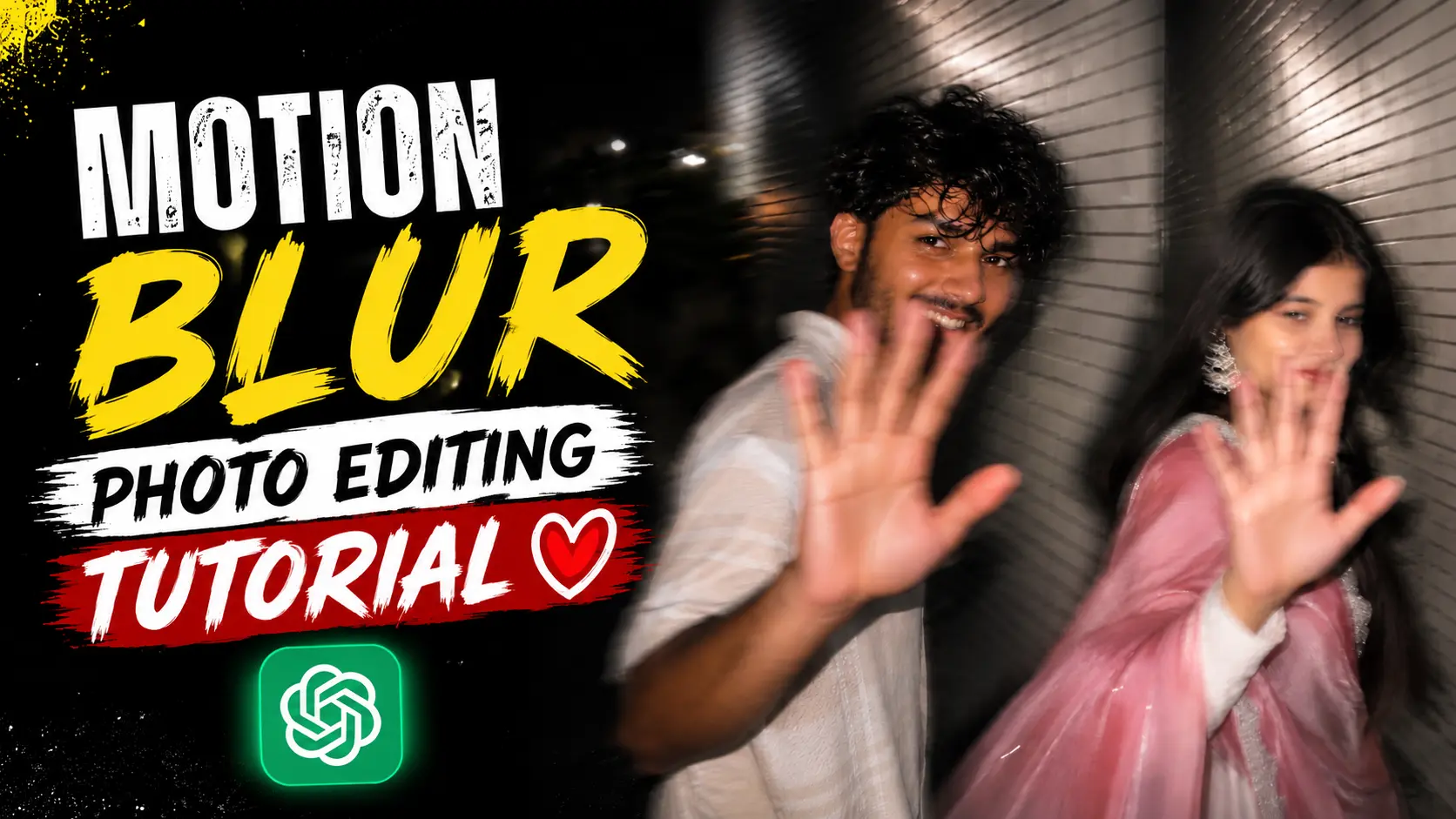
Motion blur AI photos are one of the biggest visual trends on Instagram, TikTok, and Pinterest in 2026. These images look like they were captured in a split second with a smartphone while the subject was walking past the camera. The natural blur, harsh flash, and candid expression make the photo feel real instead of edited.
The best part is that you don’t need professional editing skills or expensive software. With a good ChatGPT prompt and a single photo, you can create this trending style in just a few minutes.
What Is a Motion Blur AI Photo?
A motion blur AI photo is an image that recreates the look of a quick smartphone snapshot taken while the subject is moving. Instead of looking perfectly sharp, the photo includes realistic camera shake, slight ghosting, flash lighting, and natural blur.
This style has become popular because it feels authentic. Rather than looking like a studio portrait, it captures the kind of moment that people usually remember but rarely photograph perfectly.
Why Is This Style Trending?
Millions of users enjoy motion blur photos because they look natural and modern. Instead of heavily edited images, this style creates the feeling of a real memory.
- Some reasons why people love it include:
- Realistic smartphone camera look
- Natural motion blur
- Flash photography effect
- Candid expressions
- Perfect for Instagram Reels, Stories, and profile pictures
- Creates a unique cinematic vibe without professional equipment
Prompt ⬇️
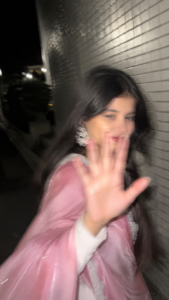
 Use the uploaded photo only as the identity reference. Preserve the subject's natural facial identity, hairstyle, skin tone, facial proportions, and overall appearance while adapting them realistically into the new scene. Do not beautify, reshape, or alter the person's identity. Ultra-realistic candid smartphone photograph, 9:16 vertical.
Scene:Nighttime on a quiet Tokyo city sidewalk beside a building covered with white ceramic tile walls. The subject is walking past the camera, partially side-on, captured in a rushed, accidental moment.
Pose & Expression:The subject instinctively reacts to being photographed by turning their head back while continuing to walk, raising one hand close to the camera to partially block the lens. A subtle, shy smile appears as if suppressing laughter. The body remains in motion with a natural half-profile stance, slightly leaving the frame. The moment feels spontaneous, awkward, and completely unposed.
Camera:Modern smartphone camera, handheld. Strong accidental camera shake with heavy directional motion blur. The raised hand, hair, and face are naturally blurred by movement. Slight ghosting around the body. Imperfect framing with the subject nearly exiting the frame.Lighting:
Single smartphone flash fired during motion. Harsh flash highlights on the face and raised hand. Deep surrounding darkness with uneven exposure, blown highlights, and strong shadows typical of rushed nighttime phone photography.Background:Long white ceramic tile wall stretching into motion-blurred streaks. Minimal street detail with a dark urban atmosphere.
Mood:Raw, candid, shy, playful, imperfect, authentic, fleeting memory. Looks like a real accidental phone snapshot, not a planned photoshoot.
Image Quality:Extremely noisy, heavily motion blurred, smartphone JPEG compression, slight lens softness, realistic flash artifacts, imperfect exposure, natural color rendering.
Negative Prompt: anime, illustration, painting, CGI, 3D render, cartoon, AI art, studio lighting, beauty lighting, cinematic grading, editorial photography, fashion shoot, posed portrait, perfect symmetry, sharp focus, smooth skin, HDR, ultra clean image, face enhancement, face beautification, identity alteration, face replacement, face copy, unrealistic anatomy.
How to Create Viral Motion Blur AI Photo
To make a motion blur photo, I am explaining its process step by step below, by reading and following it you will be able to make your photo easily.
- First of all, you have to download the Chatgpt app from Google Play Store and login to it.
- Now you have to come to the website and copy the prompt given below the photo with motion blur.
- Now you have to scroll down a bit and click on the create your image button.
- Click on the plus icon of Chatgpt and select a good photo of yours.
- Then send the copied prompt along with the photo.
- Now Chatgpt will start creating your photo and in a short while your photo with motion blur will be ready.
- You have to click on the photo and then download the photo by clicking on the download button.
Tips for Better Results
To get the most realistic Motion Blur AI photo, start with a clear, high-quality portrait where your face is fully visible and captured in natural lighting. Avoid using heavily filtered or low-resolution images, as they can reduce the quality of the final result. Make sure your hairstyle and facial features are easy to recognize, allowing the AI to preserve your identity more accurately. If your first generated image isn’t exactly what you expected, don’t worry—generate a few more versions, as each attempt can produce a slightly different outcome. Small adjustments often lead to better results, helping you create a natural-looking motion blur photo that feels like a genuine smartphone snapshot instead of an edited AI image.
Why This Prompt Works
This prompt carefully describes the camera movement, lighting, background, motion blur, and facial preservation. Instead of simply asking for a blurry photo, it tells the AI how a real smartphone camera behaves during a rushed nighttime capture.
Why Use ChatGPT for Photo Editing?
ChatGPT makes AI photo editing quick and easy for everyone. You don’t need any editing experience or expensive software to create amazing images. Just upload your photo, enter the right prompt, and ChatGPT can help you generate creative and realistic results in minutes. It is perfect for creating trending AI photos, unique profile pictures, and social media content. You can also change backgrounds, try different styles, and create eye-catching effects without much effort. Whether you are a beginner or a content creator, ChatGPT is a simple and time-saving tool for making high-quality AI photos with ease.
FAQ
1. Can I create a Motion Blur AI photo for free?
Yes. If you have access to ChatGPT’s image generation features or another compatible AI image generator, you can create this style without using expensive editing software.
2. Does this work for both boys and girls?
Yes. The prompt is designed to work with any uploaded portrait while preserving the person’s natural appearance.
3. Do I need Photoshop?
No. Everything is generated by AI, so no manual editing is required.
4. Which type of photo gives the best results?
A clear portrait with good lighting and a visible face usually produces the most realistic motion blur effect.
5. Can I use these photos on Instagram or TikTok?
Yes. These images are ideal for profile pictures, Reels, Stories, and social media posts.
Conclusion
Creating a Motion Blur AI photo is simple when you have the right prompt and a good photo. Just upload your image, copy the prompt, and let ChatGPT create the effect for you. If the first result is not perfect, try generating it again to get a better version. With a little practice, you can create realistic and eye-catching photos that are great for Instagram, TikTok, and other social media platforms. We hope this guide was helpful. Keep visiting our website for more free AI prompts, photo editing ideas, and easy tutorials.