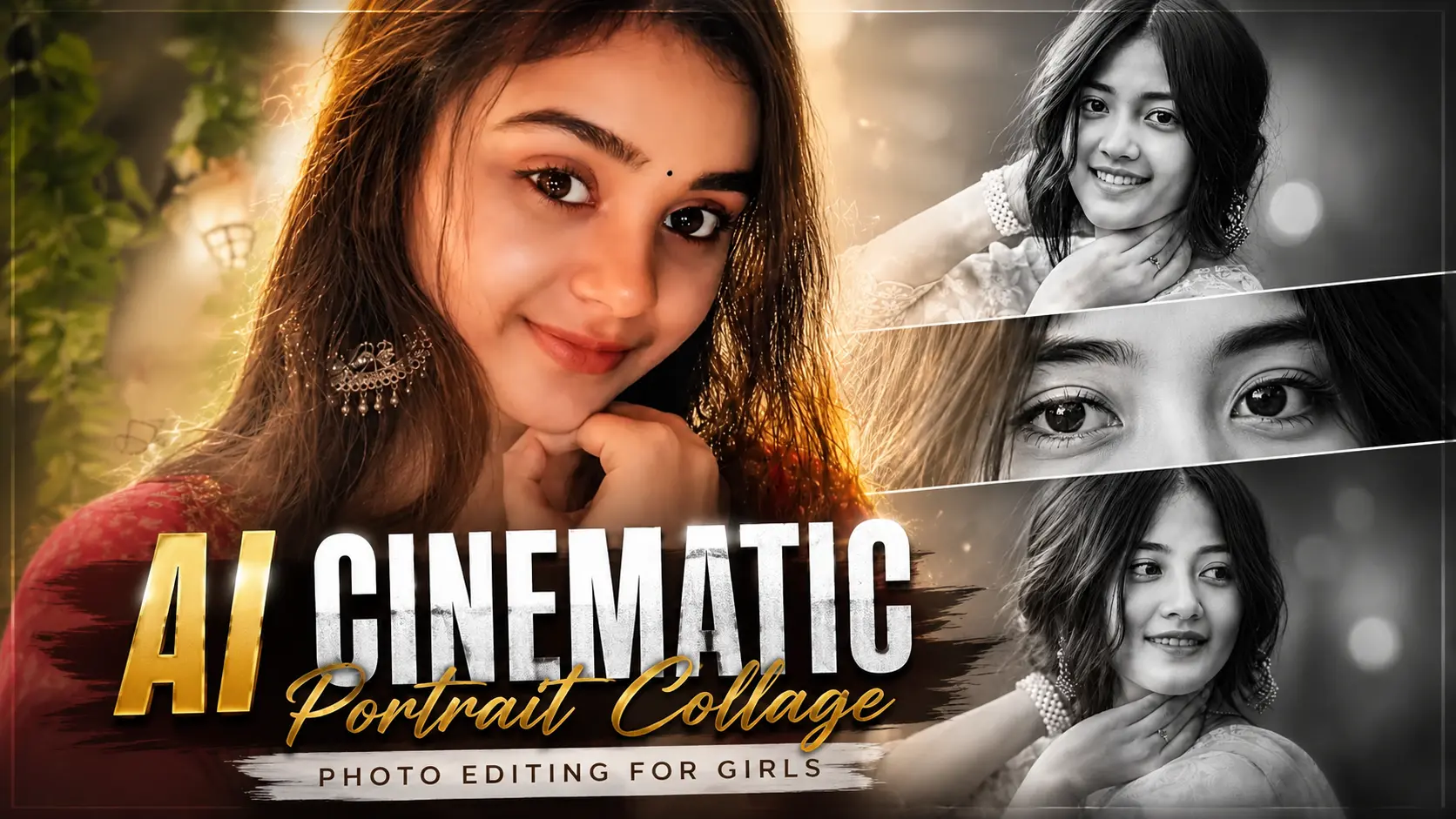
So friends, right now you must have seen this girls collage photo all over Instagram and Facebook which is trending a lot right now. Every girl is taking such portrait collage style photos of herself and uploading them on her social account.It is very easy to make this girls collage photo. You can also make such a photo of yourself, your friends or your girlfriend and make them happy by sending it. Everyone is making this photo but no one is telling the process of making it, but don’t worry, I will help you completely in making this photo. First of all, if we talk about this photo, then this photo is completely created with the help of AI, in which you can get such a great result by uploading your normal photo.And if we talk about its making process, then in this article I will guide you in detail about how to do what, just read this article carefully.
What is Girls Collage Portrait Photo
Girls portrait collage photo is a photo in which your photo is in a frame and these photos look very unique, professional and cinematic. It is said that girls like this type of photos very much and they also like to make such photos. In this photo, different parts of your single photo get divided into 3 parts and are in one frame, which makes your photo look quite unique from the normal photos. Earlier, editing was required to make such a portrait collage photo, but now you can make it without any editing with the help of an AI and that too in just a few minutes. And the biggest feature of these AI tools is that they are very easy to use and they create your image for free.As you all will be active on social media and at this time the photos made with AI are going viral all over the social media. If you also want to make your photos and videos viral, then this is the best time to follow the trend and go viral, so without any delay, you too can make such a photo of yourself.
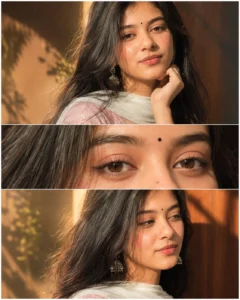
A soft dreamy close-up portrait collage of a beautiful young South Asian woman with long wavy black hair, glowing fair skin, and expressive brown eyes. She is wearing subtle peach-pink eyeshadow, winged eyeliner, nude matte lipstick, and a tiny black bindi on her forehead. Elegant candid pose with hand resting near chin, looking sideways naturally. Warm creamy aesthetic with high exposure, soft flash lighting, smooth skin texture, low contrast, pastel tones, and gentle glow effect.Three-frame vertical collage layout featuring:a front portrait,an extreme close-up of the eyes and makeup details, a side-looking candid portrait.Soft blurred background, cozy indoor lighting, aesthetic feminine mood, glossy eyes, detailed eyelashes, natural eyebrows, ultra smooth finish, Instagram beauty filter style, dreamy cinematic retouch, subtle grain, high-key Likes lighting, ratio, ultra realistic, HD quality Ratio 4:5Golden glow effect add Face without change
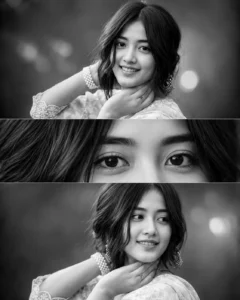
Create a soft dreamy black-and-white cinematic portrait collage using the uploaded image. Maintain the exact facial identity without any changes or distortion. Ultra-realistic skin texture, expressive eyes, natural eyebrows, glossy lips (monochrome), and long soft black hair. Elegant candid pose with one hand resting near the chin and natural side glance.Three-frame vertical collage layout featuring:• Front portrait• Extreme close-up of the eyes• Side-looking candid portraitLighting: Soft diffused studio lighting, high-key monochrome lighting, gentle side light, smooth skin highlights, cinematic shadows, HDR, soft flash effect, natural eye reflections.Background: Soft blurred indoor background, clean black-to-grey gradient, cozy studio ambience, creamy bokeh, subtle vignette.Style: Luxury fashion editorial, fine-art portrait, timeless black-and-white photography, ultra-realistic, photorealistic, cinematic retouch, smooth skin, detailed eyelashes, natural hair strands, subtle film grain, high contrast, premium magazine cover quality.Camera: Sony Alpha A7R V, 85mm f/1.4 G Master Lens, ISO 100, f/1.4, shallow depth of field, razor-sharp focus on eyes.Aspect Ratio: 4:5 (1080×1350), 8K Ultra HD, masterpiece, award-winning portrait photography.
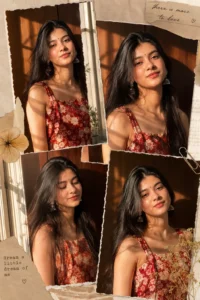
Ultra-realistic cinematic scrapbook collage of a young woman (use uploaded face, maintain exact facial identity, no distortion or changes), arranged in a 4-panel aesthetic layout with soft torn-paper edges and slight overlapping layers.Lighting: warm golden hour sunlight streaming through a window, creating soft natural highlights and shadow patterns on the face and background wall. Cozy indoor setting with visible window light streaks.Appearance: glowing, dewy makeup with glossy lips, subtle natural blush, smooth radiant skin texture. Long straight black hair, slightly side-parted, soft natural flow.Outfit: red floral printed sleeveless dress with square neckline, lightweight fabric.Accessories: traditional oxidized jhumka earrings.
How To Create Girls Portrait Collage Photo
If you are really serious about your collage photo and want to make it, then below I am telling you every process of making it in very short and step by step. If you read these steps carefully, you will be able to create photos of yourself and your friends very easily.
- First of all you have to go to Google Play Store and download the ChatGPT app and login to it.
- Now you have to come back to the website and copy the prompt given below the photo as you want to make your own photo.
- Now you have to scroll down a bit and click on create your image, then click on the plus icon and upload your photo.
- Now copy and paste it promptly and send it along with the photo.
- Now your photo will start getting created and in a short while your collage photo will be created and ready.
- By following the same steps, you can create more such photos of yourself and your friends.
Create Your Image
Tips for Better Cinematic Portrait AI Collage
To create a good cinematic portrait collage, first choose a clear and high-quality photo. The better the original photo, the better the final result.
If you want the face to remain exactly the same in the photo, then add a line like “maintain exact facial identity” or “do not change the face” in the prompt.
Keeping the background simple and lightly blurred keeps the focus squarely on the face. This makes the portrait look even more professional.
If you’re creating images for social media, a 4:5 aspect ratio is the best option. It’s a perfect fit on Instagram.
FAQ
What is a cinematic portrait collage?
Cinematic portrait collage is a creative photo style in which separate portraits of the same person are artistically arranged into a collage. It features soft lighting, professional color gradations, and premium Editing.
Which AI tools are best for creating portrait collages?
Tools like ChatGPT and Gemini are quite popular these days. They make it easy to create high-quality cinematic portraits.
How can I keep the face unchanged in AI editing?
Always use high-quality original photos and clearly state in the prompt that the facial recognition should remain the same. This will allow the AI to focus solely on style and lighting, rather than altering the face.
Why does AI sometimes change the face?
This happens when the original photo isn’t clear or the prompt doesn’t instruct you to preserve the face. So, always use detailed prompts and good quality images.
Conclusion
So friends, in today’s article I have told you how you can give a more professional look to your normal looking photo by using prompt. Which makes your photo more eye catching and engaging. To make this photo, you neither need any editing nor any kind of hard work, this will do all your work. Because at present AI has changed the process of photo editing itself, where earlier you used to waste hours of your time in editing a photo, now AI is doing the same work for you in less minutes. And in today’s time everyone is getting their photos edited with AI, so to get more photos made with AI, follow us on social media so that you can get information from there.