Introduction
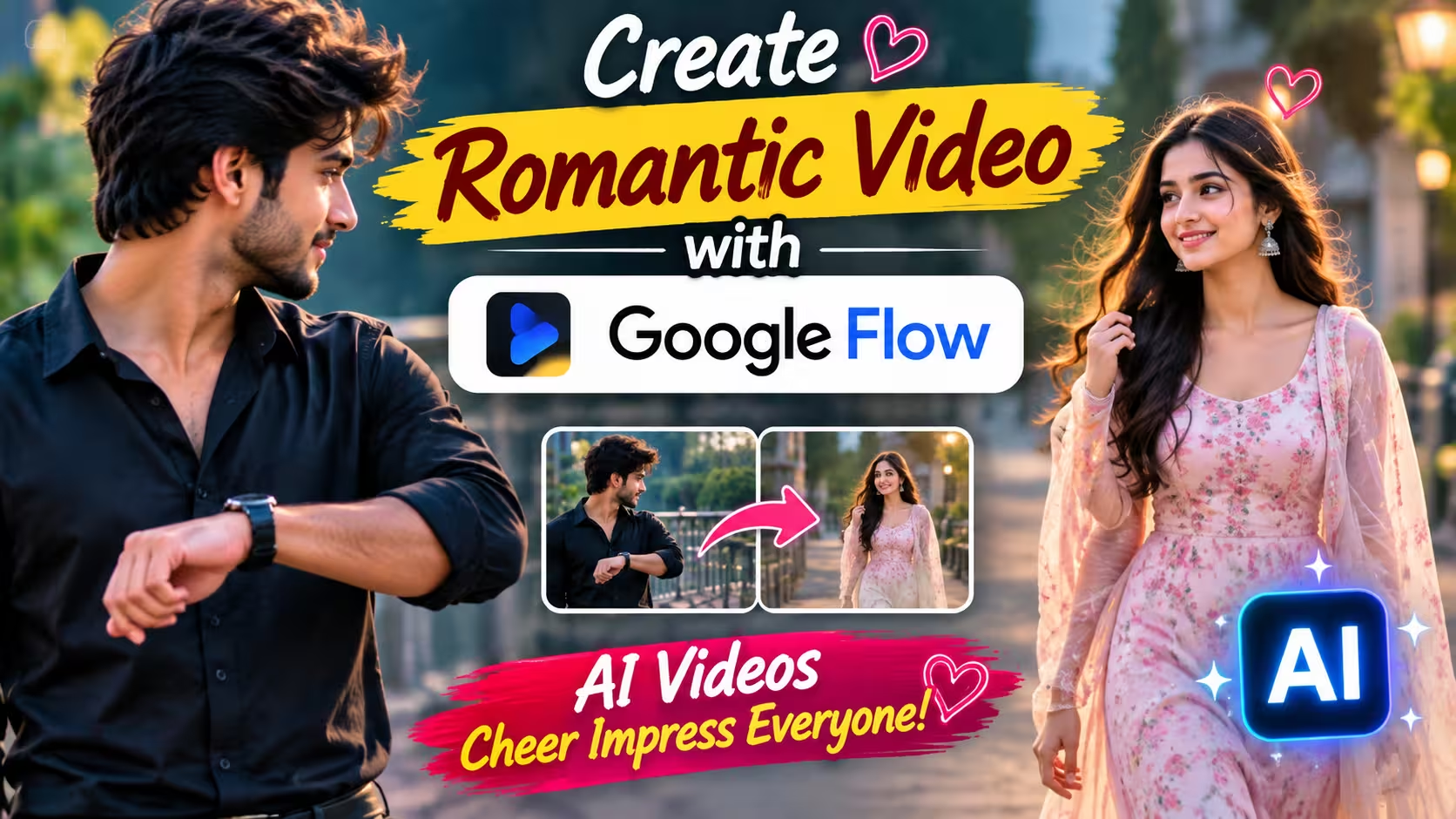
Have you ever watched those beautiful AI romantic couple videos on Instagram Reels or YouTube Shorts? In these videos, a boy is waiting for his girlfriend, checking his watch again and again. After a few moments, the girl walks toward him, looking beautiful, and the whole scene feels like a romantic movie.
The best thing is that these videos are not recorded with a real camera. They are created using Artificial Intelligence (AI). Today, anyone can make this type of cinematic video with just two photos and the right AI tool.
Recently, I also created a similar AI romantic video using Google Flow. I simply uploaded my photo and my girlfriend’s photo, added a well-written prompt, and Google Flow generated a smooth cinematic video within a few minutes. The result looked so realistic that many people thought it was a real video.
If you also want to create this type of trending AI romantic video, then this guide is for you. In this article, I will explain everything in a simple way, so even beginners can follow every step without any confusion.
What Is an AI Romantic Couple Video?
An AI Romantic Couple Video is a short cinematic video created with Artificial Intelligence. Instead of recording a video manually, you upload two photos and describe the scene with a text prompt.
The AI understands your instructions and creates natural character movements, facial expressions, camera angles, lighting, and cinematic effects automatically.
For example, you can create a romantic scene where a boy is waiting for his girlfriend, looking at his watch with excitement. After a few seconds, the girl arrives, and both characters exchange smiles in a movie-like atmosphere. The final result looks emotional, smooth, and realistic.
Because of this, AI romantic videos are becoming very popular on Instagram, Facebook, and YouTube Shorts.
Why Is Google Flow a Good Choice?
There are many AI video generators available today, but Google Flow is becoming a favorite choice for creators who want realistic cinematic videos.
One reason is that Google Flow understands prompts very well. If your prompt is detailed and your photos are clear, the generated video usually looks much more natural than many other AI tools.
Another advantage is that you don’t need professional editing skills. Even if you are a beginner, you can create an impressive AI romantic video by following a few simple steps.
Many creators also prefer Google Flow because it generates smooth camera movements, realistic facial expressions, and better character consistency.
Video Prompt ⬇️
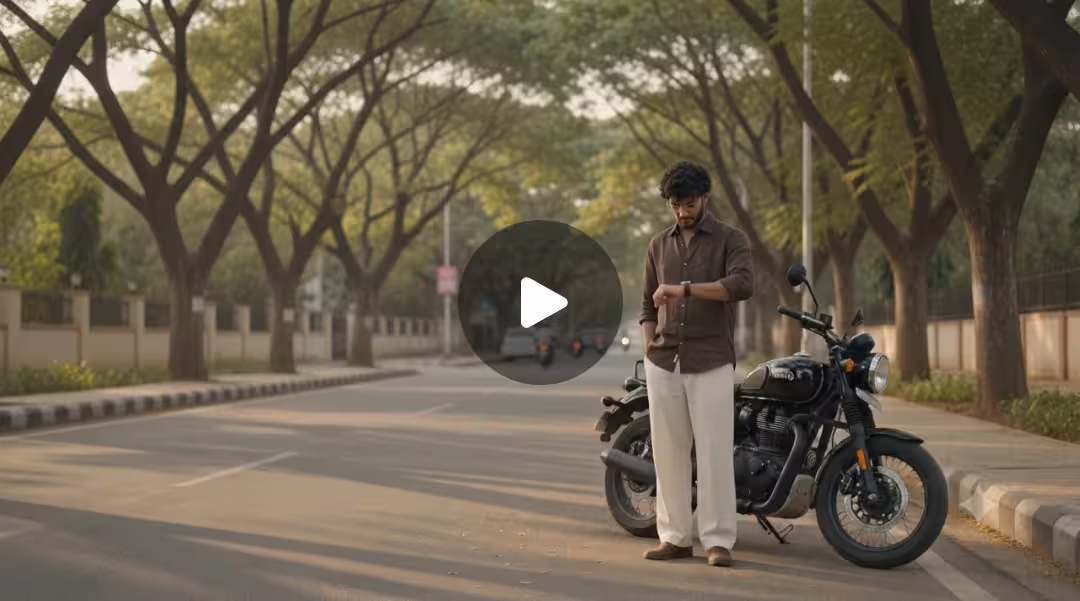
Cinematic 4K photorealistic video, 15 seconds, natural golden hour light. Wide
tree-lined Bangalore city boulevard, tall rain trees overhead canopy, warm
amber sunlight through leaves, dappled gold on tarmac, ambient city sounds.
BEAT 1 — 0:00 to 0:04: Young Indian man from @Image1 stands on near-side
footpath beside a black bike, facing camera. Black hair, clear glasses, dark
brown linen button-up shirt white buttons chest pocket sleeves rolled, cream
wide-leg pleated trousers, white sneakers, silver watch left wrist from
@Image3. Head slightly down casually checking his watch, relaxed and
completely unaware. Black Porsche 911 GT3 enters from left at road speed —
horn blares once — car sweeps through foreground in shallow focus blur
blocking full road view for one second, powerful wind whoosh as it passes.
BEAT 2 — 0:04 to 0:07: Car clears frame — slow motion begins instantly. On
the opposite footpath directly across, a young Indian woman from @Image2
steps off the far kerb beginning to cross — walking straight toward camera.
Car's wind wake hits her at this exact moment — straight dark hair explosively
lifting and blowing toward camera. Black fitted full-sleeve top, red bandhani
wave-print tiered maxi skirt billowing forward around her legs, black white ikat
dupatta with tassels flying toward camera, silver oxidised necklace and
bangles catching golden light, flat kolhapuri sandals from @Image4. She walks
straight forward facing camera, eyes ahead, calm natural expression,
completely unaware of him on the opposite pavement. BEAT 3 — 0:07 to 0:10:
Cut to tight front close-up of the man's face. Head lifted from watch, eyes
wide and still fixed straight across the road, mouth barely parted, glasses
catching soft golden light. Pure quiet stunned stillness. First sight. No theatrics.
Completely natural. BEAT 4 — 0:10 to 0:12: Cut back to her — slow motion —
mid-road walking straight toward camera, red skirt swaying, dupatta tassels
drifting, hair gradually settling. She never glances toward him. Fully in her own
world. BEAT 5 — 0:12 to 0:15: Slow motion close-up of her beautiful face.
Straight dark hair softly blowing and settling, warm amber light falling across
her features, soft skin, dark expressive eyes looking straight ahead, gentle
natural expression, silver earrings catching light. Quiet effortless beauty. She
still does not know. Shallow depth of field, warm golden bokeh tree canopy
behind. Wind sound fading to silence. Anamorphic lens, natural bokeh, no
filters, no music. Diegetic sound only — car horn, wind whoosh, ambient city
hum, fading breeze. Pure documentary realism. No jump cuts.
LOVE AT FIRST SIGHT - BENGALURU
How To Create Romantic Cinamtic Video
If you also want to make a romantic couple video, then below I am telling you the process of making such a video.If you follow the steps given below, you too will be able to make your own video like this in just a few minutes.
- First of all, you have to download the Google Flow app from the Google Play Store and login to it.
- Now you have to come back to this post and copy the prompt given below the video.
- Scroll down a bit and click on the create your video button.
- After Google Flow opens, you have to click on new project and after that click on the plus icon and add your and your girlfriend’s photo.
- Select the frame to video and choose the duration of the video as 10 seconds and the ratio as 16:9.
- Now select the uploaded image and paste the copied prompt along with it and click on send.
- Flow ai will start making your video and your video will be ready in no time.
- Now you just have to edit this video a little in any video editing tool and you can upload it on your social media with a good song.
Create Your Video
Tips to Get Better Results
If you want your AI romantic video to look more natural and cinematic, follow these simple tips.
- Use high-quality portrait photos.
- Make sure both faces are clearly visible.
- Choose photos with similar lighting.
- Write a detailed but simple prompt.
- Avoid adding too many actions in one scene.
- Keep the emotions natural and realistic.
- Preview the video before downloading it.
Common Mistakes to Avoid
Many beginners expect a perfect result on their first attempt, but AI video generation often requires a little experimentation. One of the biggest mistakes is using blurry or low-quality photos, as they can reduce the overall quality of the final video. Another common mistake is writing a very short or confusing prompt that does not clearly explain the scene or the emotions you want to create.
Some users also try to add too many actions in a single prompt, which can confuse the AI and lead to inconsistent results. Using photos where the face is partially hidden may also affect the final output. If your first video doesn’t turn out as expected, don’t worry. Make small improvements to your prompt, use better-quality photos, and generate the video again. In most cases, a few simple changes can produce a much more realistic and cinematic result.
Why Are AI Videos So Popular Right Now?
AI videos have become extremely popular because they allow anyone to create professional-looking content without expensive equipment or advanced editing skills. With just a few photos and a well-written prompt, people can generate cinematic videos that look creative and eye-catching. This has made AI video creation accessible to beginners, content creators, and social media users alike.
Another reason for their popularity is the growing demand for short-form content on platforms like Instagram Reels, YouTube Shorts, and Facebook. Unique AI-generated videos often attract more attention because they look different from regular videos. As AI technology continues to improve, more people are using tools like Google Flow to create realistic and engaging videos for entertainment, storytelling, and social media content.
FAQ
1. Can I create AI romantic couple videos for free?
Google Flow’s features and pricing may change over time. If your account has access to the required features, you can create videos according to the plan available to you.
2. Do I need video editing experience?
No. Google Flow is beginner-friendly. You only need two photos and a good prompt to create an AI romantic video.
3. Which photos work best?
Clear, high-quality portrait photos with good lighting usually produce the best results.
4. Can I use my own photos?
Yes. You can upload your own photo and your partner’s photo to create a personalized AI romantic video.
5. Why does the generated video look different every time?
AI-generated videos are not always identical. Small variations are normal. If needed, adjust your prompt or use different photos to improve the result.
Conclusion
Creating AI romantic couple videos has become much easier with Google Flow. You don’t need professional editing skills or expensive software. With just two clear photos and a well-written prompt, you can create a beautiful cinematic video in just a few minutes.
If you enjoy creating content for Instagram Reels, YouTube Shorts, or Facebook, this is a great way to make unique and eye-catching videos.
Keep experimenting with different prompts and ideas. Every new project will help you understand the AI better and improve the quality of your future videos.