Introduction
Finding the right hairstyle, outfit, colors, glasses and overall fashion style can be difficult. What looks great on one person may not suit another person at all.
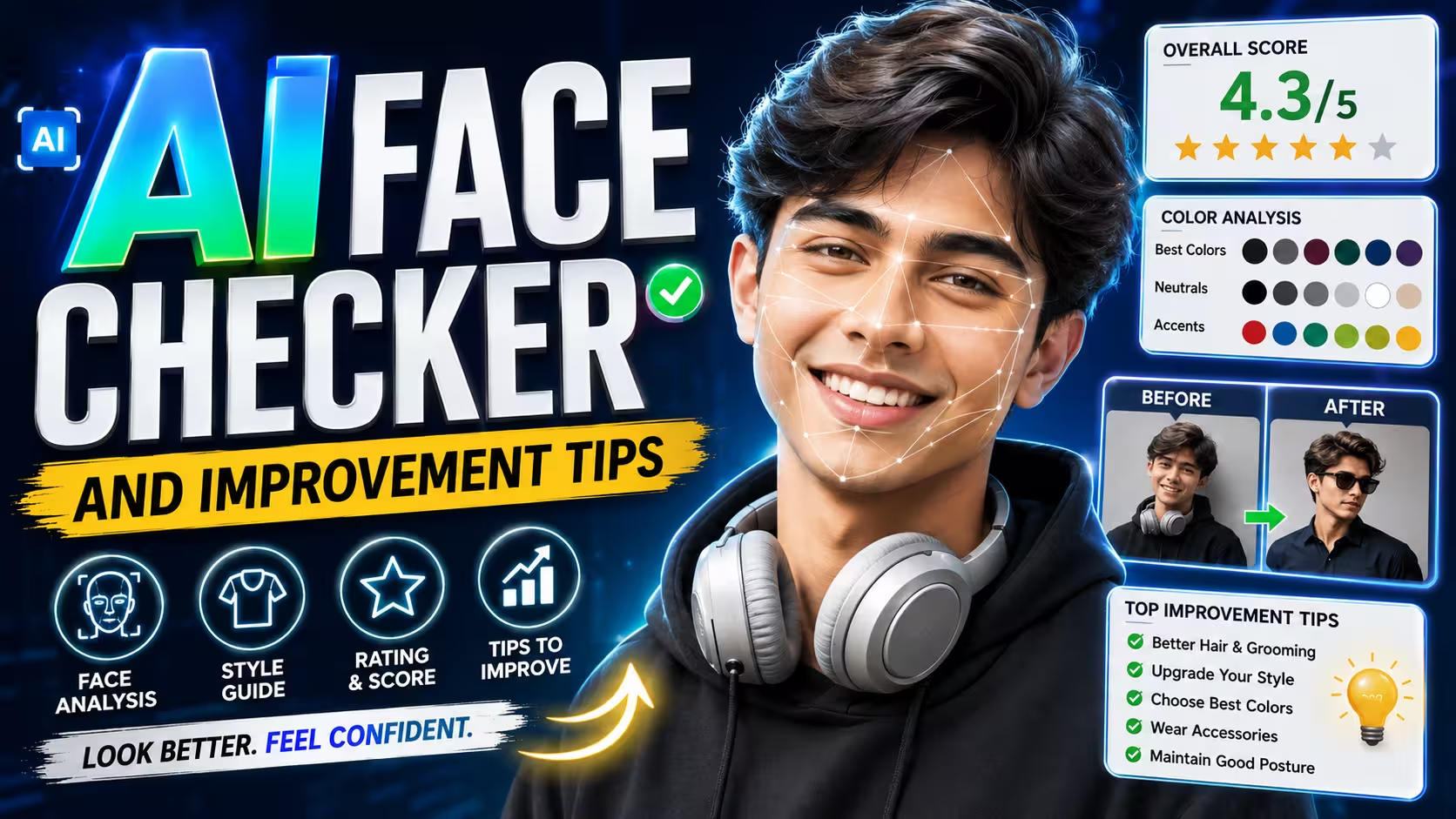
But now you can use ChatGPT to create a personalized style report from your own photo.
You simply upload a clear portrait, paste a ready-made prompt, and ask ChatGPT to analyze the visible features in your photo. It can then suggest suitable colors, outfits, hairstyles, glasses, beard styles, accessories and even give you an overall style rating out of 10.
The best part is that the recommendations are made specifically for your appearance instead of being a generic fashion guide.
How Does the ChatGPT Personal Style Analysis Work?
The process is very simple:
- Take or select a clear front-facing photo.
- Upload the photo to ChatGPT.
- Copy the personal style prompt given below.
- Paste the prompt into the chat.
- Let ChatGPT analyze your visible facial features and overall appearance.
- Get your personalized style report and rating.
For better results, use a photo where your face is clearly visible, with good lighting and minimal filters.
Step 1: Upload Your Photo to ChatGPT
- First, open ChatGPT and upload a clear portrait of yourself.
- Try to use a photo with:
- Good natural lighting
- Face clearly visible
- Minimal or no beauty filter
- Neutral expression
- Front-facing or slightly angled view
- Upper body visible if possible
- A clear photo gives the AI more useful visual information for making styling suggestions.
Tip: Don’t use a heavily edited selfie. A natural photo usually gives better styling recommendations.
Step 2: Copy This Personal Style Prompt
After uploading your photo, copy the complete prompt below and paste it into ChatGPT.
Prompt ⬇️
Act as a professional Image Consultant, Stylist, Color Analyst and Face Shape Expert. Analyze the uploaded portrait and create a premium visual Personal Style Report. Use 90% visuals, 10% text: models, outfit mockups, diagrams, icons, swatches, cards and / /x comparisons. No paragraphs.1. COLOR: Find season (Spring/Summer/ Autumn/Winter), undertone, skin tone and contrast. Show best/avoid colors, neutrals, accents, white, black and denim. Display colors on clothing/ models. Add Better vs x Worse.
2. OUTFITS: Create visual looks for Casual, Smart Casual, Formal, Party, Traditional, Streetwear and Minimalist.
Show colors, clothing combo and mini outfit.
3. FACE: Identify face shape with diagram. Show best necklines, collars, shirts, jackets, blazers and T-shirt fits.
4. HAIR: Visual examples of Short, Medium, Long, Fade, Textured, Side Part, Slick Back and Curly styles. Mark Best and x Avoid.
5. EYEWEAR: Compare Aviator, Wayfarer, Clubmaster, Round, Square, Rectangle, Oval and Rimless. Highlight best sunglasses and optical frames.
6. BEARD: Compare Clean Shave, Stubble, Medium/Full Beard, Goatee and Mustache. Highlight best.
7. ACCESSORIES: Show suitable watches, caps/hats, chains, earrings, scarves and bags.
9. PATTERNS: Compare Solid, Vertical/ Horizontal Stripes, Small/Large Checks, Floral and Geometric. Mark / /x.
10. FOOTWEAR: Show Sneakers, Loafers, Chelsea Boots, Oxfords, Running Shoes and Sandals with matching outfits.
11. STYLE: Pick top styles from Classic, Minimalist, Old Money, Quiet Luxury, Smart Casual, Professional, Streetwear, Athletic and Creative. Show visual cards.
12. SCORECARD: Show Current Style, Potential, Best Hair, Outfit, Colors, Glasses, Beard and Accessories with icons/ratings.
13. SHOPPING: Visual checklist for shirt, T-shirt, blazer and pants colors, shoes, sunglasses, watches and accessories.
DESIGN: Luxury fashion magazine/ Pinterest aesthetic. Clean white background, modern grid, large visuals, minimal text, styling boards, palettes, Be vs After cards.
Step 3: Get Your Personal Style Report
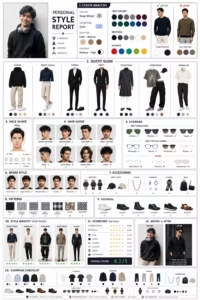
After sending the prompt, ChatGPT will analyze the visible features in your uploaded image and organize the recommendations into different categories.
Your report can include your color palette, outfit combinations, hairstyle suggestions, face-shape guidance, glasses, beard styles, accessories and footwear.
Instead of searching for hundreds of different fashion ideas yourself, everything is organized into one personalized report.
You Can Also Ask for Outfit Images
After getting your report, you can continue the conversation and ask ChatGPT for specific visual looks.
For example:
“Create 5 realistic outfit images based on my personal style report. Keep my face and identity unchanged and use the colors recommended for me.”
You can also ask for:
“Show me 5 hairstyles that would suit my face shape while keeping my face unchanged.”
Or:
“Create a before-and-after comparison showing how I could improve my overall styling.”
This makes the process much more useful because you can actually visualize the recommendations instead of just reading them.
How to Get Better Results
The quality of the analysis depends partly on the quality of your uploaded photo.
Use a clear photo
Avoid blurry images or extremely low-resolution pictures.
Avoid heavy filters
Instagram and beauty filters can change visible facial details and skin appearance.
Use good lighting
Natural daylight or evenly distributed indoor lighting works better than very dark photos.
Keep your face visible
Avoid sunglasses, masks, hands covering the face or extreme camera angles.
Upload a recent photo
If your hairstyle or beard has changed recently, use your latest photo.
Can ChatGPT Really Know Your Best Style?
AI can provide useful visual styling suggestions, but it isn’t a professional human stylist examining you in person.
For example, it can estimate things such as face shape or suggest colors based on what is visible in the photograph. However, lighting, camera processing and image quality can affect the result.
That’s why the report should be treated as a personalized styling guide, not an absolute scientific analysis.
You can take the recommendations you like and ignore anything that doesn’t match your personal taste.
Why This Is Better Than a Generic Fashion Guide
A normal fashion article might say:
“Men with oval faces can try these hairstyles.”
But a personalized AI style report starts with your own photo and creates recommendations around your visible features.
You can get recommendations for:
- Your colors
- Your hairstyles
- Your face shape
- Your glasses
- Your beard
- Your outfits
- Your accessories
- Your footwear
- Your overall style
- Your style rating
This makes the experience much more personal than simply following a general fashion checklist.
Final Thoughts
Creating a personal style report with ChatGPT is a simple way to experiment with your appearance before spending money on new clothes, hairstyles or accessories.
Upload a clear photo, use the ready-to-copy prompt above and let ChatGPT create your personalized recommendations.
You can then ask for additional outfit combinations, hairstyle ideas or before-and-after styling concepts based on the same analysis.
Your style doesn’t need to become complicated. The goal is simply to understand what works best for you and build a wardrobe around it.