
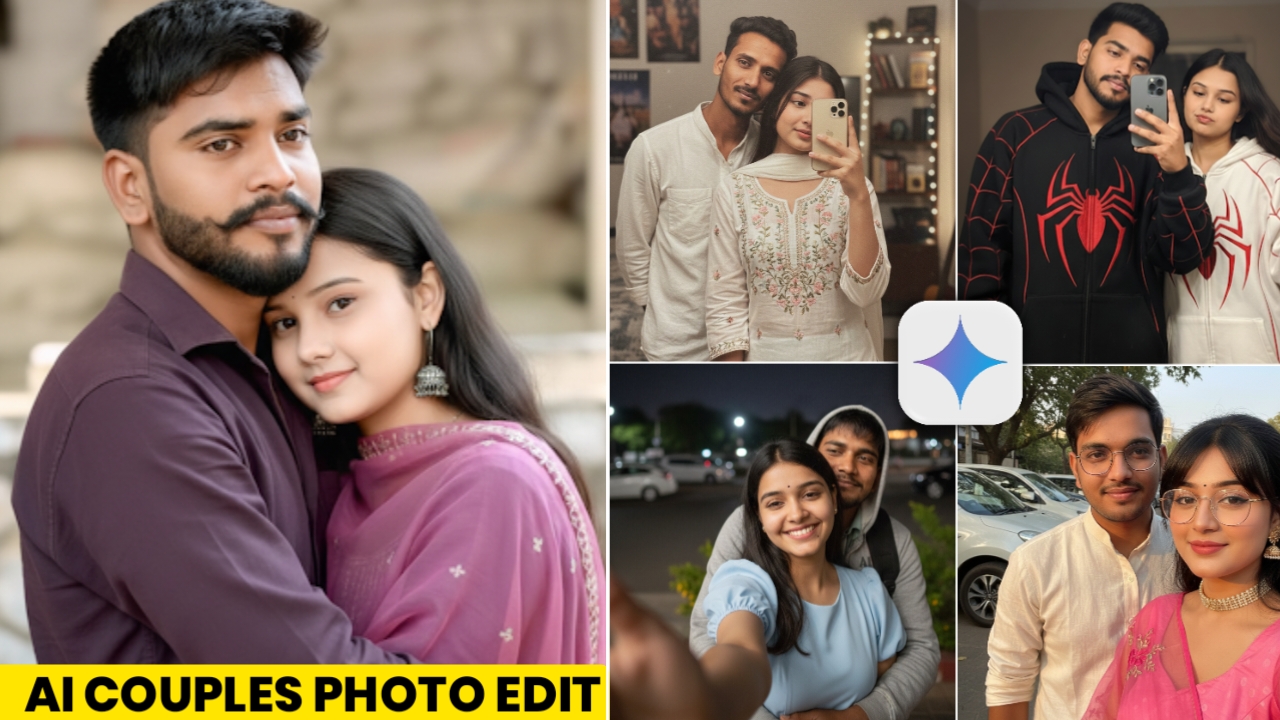
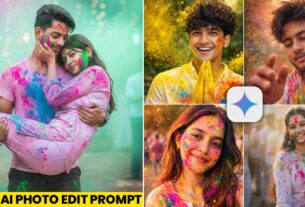
Creating a couple photo usually requires having both people together at the same place. But AI image-generation tools have introduced another creative option: you can combine two separate photographs and create a new couple-style composition.
For example, you can use one photograph of yourself and another photograph of your partner as references, then describe the pose, clothing, environment, lighting, and photography style you want. The AI tool can generate a new image based on those instructions.
This can be useful when you want to experiment with different photography concepts, such as a mirror selfie, a romantic outdoor portrait, a casual couple photograph, or a cinematic evening scene.
In this article, you’ll find several prompts for different couple-photo styles along with a step-by-step process for creating them. I’ll also explain how to choose suitable reference photographs and what you can do when the generated faces or composition don’t look right.
Important: Use your own photographs or images that you have permission to use. AI-generated couple images should be treated as creative edits and should not be presented as genuine photographs of events or situations that never happened.
What Is a Couple AI Photo?
A couple AI photo is a digitally generated image created using photographs and text instructions as references.
Instead of manually cutting two people from separate photographs and adjusting their positions, lighting, shadows, and backgrounds, an AI image generator can attempt to create a new composition based on both references.
For example, you could provide:
- One photograph of yourself
- One photograph of your partner
- A description of the desired pose
- Clothing details
- Background information
- Lighting and camera style
The generated result may look like a photograph taken together, although the exact output depends on the AI model, reference images, and prompt.
Couple AI Photo Editing Prompts
Below are several prompts you can use as starting points. You can change the clothing, pose, background, and other details according to your preference.
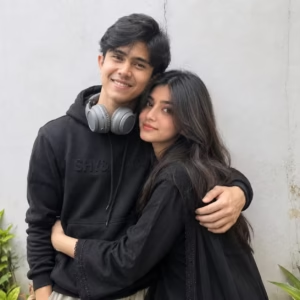
Create a highly realistic 1:1 couple photo by combining the two uploaded reference photos. Use the exact same boy and exact same girl from the uploaded images. Preserve their facial identity, face shape, eyes, nose, lips, skin tone, hairstyle, hair texture, age, and natural appearance exactly as shown. Do not redesign, beautify, replace, or change either person’s face. Make it look like a genuine photograph of these two people together. Show them standing close and hugging each other naturally and affectionately, with realistic body proportions and anatomically correct hands and arms. Keep their original clothing consistent with the reference photos. Match lighting, shadows, skin tones, perspective, camera quality, and depth of field naturally so there is absolutely no visible cut-and-paste effect. The final image should look like a real photo taken of them together, not AI-generated. Square 1:1 composition, realistic photography, natural expressions, high detail.
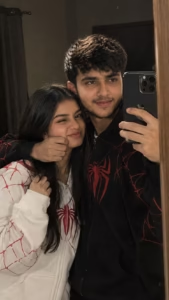
Create a hyper-realistic 4K 9:16 mirror selfie using the uploaded photos, preserving the exact facial identity, hairstyle, skin tone, and natural features of both people. Show the young couple standing closely together in a dim, cozy indoor room. The man genuinely looks at the camera while taking the selfie with an iPhone 14 Pro Max. He gently squishes the woman’s cheek with one hand. She makes a cute, funny, slightly playful expression while holding a section of her hair near her face. Man wears an oversized black spider-themed hoodie with red web details; woman wears a white matching hoodie. Natural lighting, realistic skin, fabric texture, shadows, reflections, romantic candid atmosphere, authentic photography.

A realistic romantic nighttime selfie of a young happy couple in a close embrace. The man is standing behind the woman, smiling warmly and hugging her from behind. He has short dark hair and is wearing a white aesthetic casual shirt with a clean, minimal look. The woman has shoulder-length dark hair, resting her cheek against the man, smiling brightly.She is dressed in a light blue aesthetic Indian kurti, soft fabric, elegant and simple.The photo is a close-up taken outdoors at night, with a dark, softly blurred background, warm ambient lights and subtle greenery visible. The lighting is natural and soft, creating an intimate, affectionate, romantic mood. A small brie heart emoji floating above their heads enhances the romantic vibe Ultra-realistic, natural skin tones, candid selfie feel, shallow depth of field, cinematic nighttime lighting

Create a hyper-realistic romantic nighttime selfie using the uploaded photos as exact identity references. Preserve the boy’s and girl’s facial identity, face shape, eyes, lips, skin tone, hairstyle, hair texture, and natural appearance exactly as shown. Show the young couple in a close embrace, with the man standing behind the woman and gently hugging her from behind, both smiling naturally. The man wears a clean white aesthetic casual shirt, while the woman wears a soft light-blue elegant Indian kurti. Keep their proportions realistic. Capture them outdoors at night with a dark softly blurred background, warm ambient lights and subtle greenery. Natural skin texture, realistic shadows, shallow depth of field, cinematic lighting, authentic candid selfie photography, intimate romantic mood, and a small bright heart emoji floating above them.

Create a realistic iPhone mirror selfie using the uploaded photos, keeping the exact same woman and man with their original facial identity, face shape, skin tone, eyes, hairstyle, and natural appearance unchanged. Show them together in a cozy lo-fi indoor background. The man wears a clean white aesthetic curved-sleeve shirt, while the woman wears an elegant kurta with delicate floral embroidery. The man gently leans his head on the woman’s shoulder, creating a natural candid couple moment. Both maintain eye contact with the camera, with a subtle genuine smile on the boy’s face. Use direct flash, slight motion blur, grainy texture, soft editing, realistic reflections, natural lighting, and authentic casual photography.
How to Create a Couple AI Photo
Once you’ve selected a prompt, you can follow these general steps.
Step 1: Choose Two Reference Photos
Select one clear photograph of each person.
Try to choose images where the faces are visible and reasonably well-lit. If possible, use photographs taken from similar angles.
For example, if one person is facing directly toward the camera and the other photograph is an extreme side profile, the AI may have more difficulty creating a consistent composition.
Step 2: Open Gemini
You can use an AI image-generation service that supports reference photographs. If you’re using Gemini, open the service and sign in to your account.
Step 3: Upload the Photos
Use the image-upload option and add both reference photographs.
Make sure you have permission to use the photographs, particularly when using someone else’s image.
Step 4: Add the Prompt
Copy the prompt you want to use from this article and paste it into the conversation.
You can also modify the clothing, location, pose, or lighting before submitting it.
Step 5: Generate the Image
Send your request and allow the AI tool to process the images.
The final output may take some time depending on the service and current processing conditions.
Step 6: Review the Result
Check the generated image carefully.
Look at:
- Facial appearance
- Hands and fingers
- Body proportions
- Clothing
- Lighting
- Shadows
- Background
- Reflections
- Overall pose
If something looks incorrect, ask the AI to correct that particular element.
How to Choose the Best Reference Photos
The quality of the reference photographs can have a significant effect on the final result.
Use Clear Photos
A sharp photograph gives the AI more useful information about facial features, hair, and overall appearance.
Avoid Heavy Filters
Strong beauty filters or extreme color effects can make the reference less suitable for realistic editing.
Keep the Face Visible
Try to avoid photographs where the face is hidden by sunglasses, hands, hair, masks, or other objects.
Similar Lighting Can Help
If both reference photographs have reasonably similar lighting conditions, the AI may have an easier time creating a consistent composition.
However, this isn’t mandatory. The AI can still attempt to combine photographs with different lighting.
How to Improve Face Consistency
One common issue with AI-generated couple photographs is that the faces may not look exactly like the original references.
There is no guaranteed method for achieving a 100% identical face, because AI image generators interpret reference images differently.
Still, you can improve the chances of getting a recognizable result.
Use a clear reference image and explicitly ask the AI to preserve the person’s recognizable facial characteristics.
You can also avoid giving the AI too many conflicting instructions.
If the face looks significantly different, try another reference photograph rather than repeatedly adding more and more instructions.
What If the Hands or Body Look Incorrect?
AI-generated images can sometimes produce unnatural hands, fingers, or body proportions, especially when two people are interacting closely.
If this happens, simplify the pose.
Instead of requesting a complicated interaction, try something simpler such as:
“Both people are standing naturally next to each other with relaxed arms.”
Once the basic composition works, you can experiment with a more complicated pose.
How to Make the Photo Look More Natural
If your image looks too artificial, focus on realistic photography instructions rather than repeatedly adding words such as “ultra,” “extreme,” or “perfect.”
Useful details include:
- Natural skin texture
- Realistic shadows
- Consistent light direction
- Detailed fabric
- Natural facial expressions
- Realistic reflections
- Subtle background blur
- Balanced exposure
- Natural body proportions
You can also ask the AI to avoid excessive skin smoothing or unrealistic beauty effects.
Can You Change the Pose?
Yes. The same basic prompt can be adapted for different poses.
For example, you can ask for:
- Walking together
- Sitting beside each other
- Looking at the camera
- Looking at each other
- Taking a mirror selfie
- Standing under street lights
- Sitting in a café
- Walking through a park
- A casual outdoor portrait
The more clearly you describe the desired pose, the easier it is for the AI to understand the composition.
Is the Generated Couple Photo Real?
The generated photograph should be considered an AI-created image, even if it looks realistic.
The background, lighting, pose, clothing details, and other elements may have been generated or modified by AI.
Therefore, don’t use an AI-generated image to falsely claim that you and another person were physically together somewhere if that never happened.
For personal creativity, profile pictures, design experiments, or visual concepts, you can simply treat the result as an AI-generated edit.
Frequently Asked Questions
Can I use two separate photos?
Yes. An image-generation tool that supports multiple reference images can use separate photographs as references for the two people.
Do both people have to be photographed together originally?
No. The purpose of this type of AI editing is to create a new composition from separate reference photographs.
Can I change the clothes?
Yes. You can describe a different outfit in the prompt.
Can I change the background?
Yes. You can request a studio, street, rooftop, café, park, bedroom, or another suitable environment.
Why doesn’t my face look exactly the same?
AI generation isn’t guaranteed to preserve every facial detail. Try a clearer reference photograph and use simpler, more specific instructions.
Can I make a vertical image?
Yes. You can request a 9:16 vertical composition when supported by the image-generation tool.
Conclusion
Creating a couple photo with AI can be a simple and creative way to bring two separate photographs into a new composition. With the right reference images and a detailed prompt, you can experiment with different poses, outfits, backgrounds, and photography styles without requiring advanced photo-editing skills.
The prompts shared in this article can be used as a starting point for creating romantic, casual, traditional, or cinematic couple portraits. If the first result doesn’t look quite right, try changing the pose, lighting, background, or reference photograph and generate another version.
Keep in mind that AI-generated images can sometimes change facial details or produce small visual errors, so the result may vary from one generation to another. Most importantly, use your own photographs or images you have permission to use, and present AI-generated scenes honestly when they could otherwise be mistaken for real photographs.
Like it